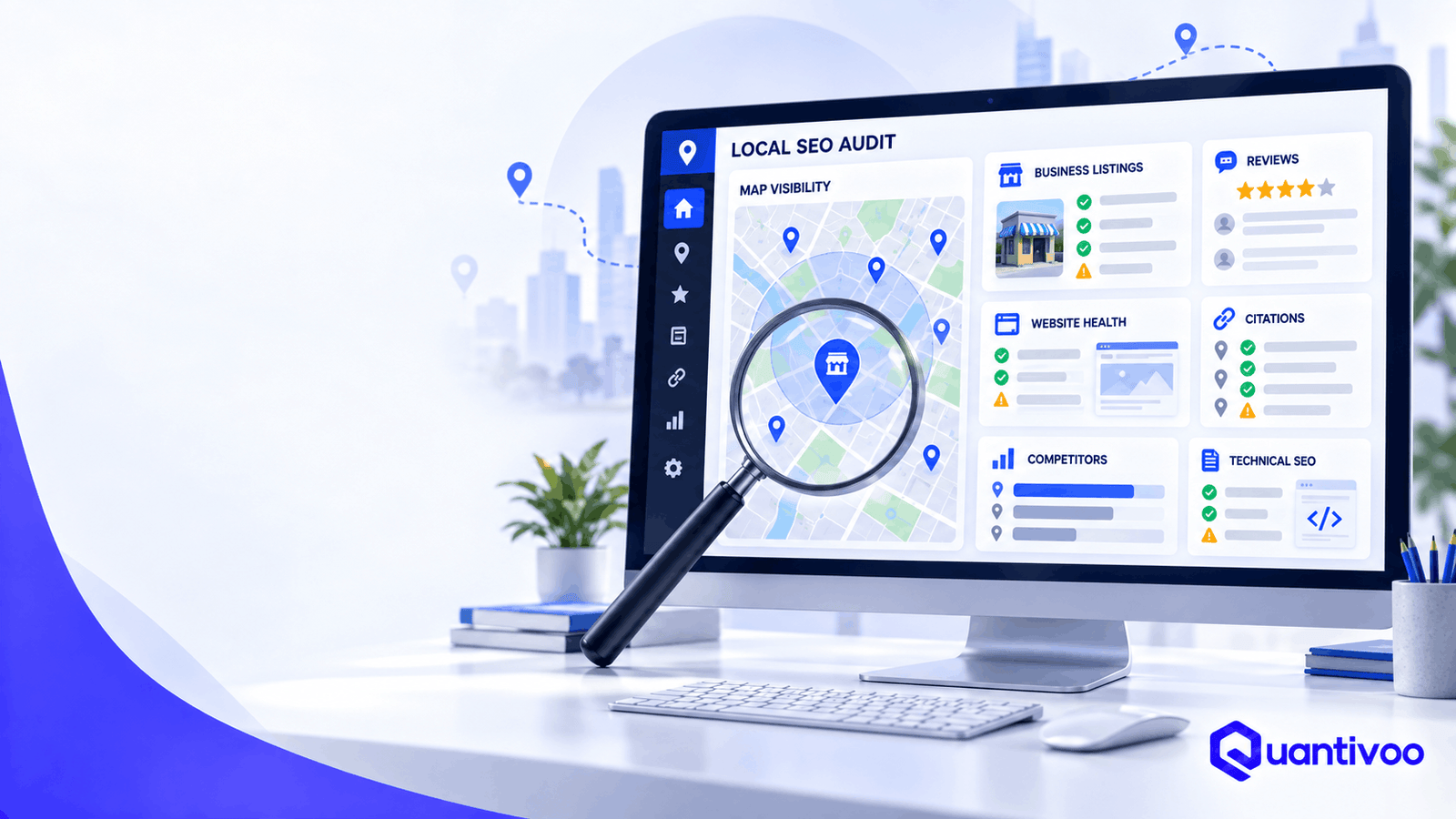
Local search visibility is rarely controlled by one setting, one keyword, or one Google Business Profile field.
A business can have a complete Google Business Profile and still struggle because its website is difficult to crawl, its location pages provide little value, its business information conflicts across directories, its competitors have stronger local authority, or its review profile does not inspire confidence.
That is why a local SEO audit should look at the entire local search ecosystem—not just rankings.
A useful audit identifies what is working, uncovers technical and content problems, compares your business with relevant competitors, and then turns those findings into a prioritized action plan.
Google itself says local results are primarily influenced by relevance, distance, and prominence, while also emphasizing accurate, complete Business Profile information. Those concepts provide a useful foundation, but a practical audit has to go further because your website, citations, reviews, links, content, and customer experience all contribute to the signals surrounding a local business.
Quick Answer: What Is a Local SEO Audit?
A local SEO audit is a systematic review of a business’s Google Business Profile, website, technical SEO, local listings, citations, reviews, competitors, content, and authority to identify problems and opportunities affecting local search visibility and customer conversions.
The goal is not to produce a meaningless “SEO score.” The goal is to answer four practical questions:
- What is preventing or limiting local visibility?
- What opportunities are competitors capturing?
- Which issues deserve attention first?
- What should the business do next?
Local SEO Audit Checklist: The 30 Things to Check
The following local SEO checklist is organized into five areas: Google Business Profile, website and on-page SEO, technical SEO, citations, and reviews/authority.
For each check, look for both search visibility and business impact. A technically perfect website is not particularly useful if customers cannot find the right service or contact the business. Conversely, a strong profile cannot compensate for a website with serious indexing or conversion problems.
Category 1 — Google Business Profile
Google Business Profile is one of the most important assets to review in a local search audit, but it should not be treated as the entire local SEO strategy.
Google says complete and accurate business information can help businesses appear for relevant local searches, and its guidelines require businesses to represent themselves accurately.
1. Business Name Accuracy
What to check:
Compare the Google Business Profile name with the business’s real-world name.
The name should generally reflect how the business is actually represented on signage, stationery, its website, and other real-world materials.
Why it matters:
An inaccurate or keyword-stuffed name can create trust and policy problems. Adding phrases such as “Best Emergency Plumber in Karachi” to a real-world business name simply to target keywords is not a sound local search strategy.
Google’s guidelines specifically say unnecessary information should not be added to the business name.
Red flags:
- Extra keywords added to the name
- Location terms that are not part of the real business name
- Different names across important business properties
- Old branding after a rebrand
How to fix it:
Use the legitimate real-world business name and document any legitimate branding changes.
Priority: High
2. Primary Category
What to check:
Confirm that the primary category accurately describes the business’s core offering.
Why it matters:
Categories help Google understand what the business is and what searches may be relevant. Google recommends selecting categories that are specific and representative rather than treating categories as a keyword list.
Red flags:
- Category chosen because it has high search demand rather than because it describes the business
- Outdated category
- A secondary service incorrectly selected as the primary category
- Competitors appearing relevant for searches your profile does not clearly match
How to fix it:
Choose the most accurate available category for the core business. Do not change categories repeatedly simply because a competitor uses a different one.
Priority: High
3. Secondary Categories
What to check:
Review whether additional categories accurately represent meaningful parts of the business.
Why it matters:
Relevant secondary categories can provide additional context about what the business offers.
Common mistake:
Adding every remotely related category in the hope of appearing for more searches.
More categories are not automatically better. Google’s guidance says businesses should use as few categories as necessary to describe the overall core business.
How to fix it:
Keep categories relevant, defensible, and representative.
Priority: Medium
4. Business Information
What to check:
- Address
- Phone number
- Website
- Opening information
- Attributes where applicable
- Service or product information where available
- Verification and ownership
Why it matters:
Google combines information supplied by businesses with information from public websites, third parties, users, and other sources.
Incorrect information can therefore create confusion for both search engines and customers.
Mini-example:
If the website says the business is at “125 Main Street” but the Business Profile uses an outdated address, investigate which information is actually correct before trying to standardize everything.
Priority: Critical when incorrect.
5. Business Hours and Special Hours
What to check:
Compare regular opening hours with the hours shown on the website and other major listings. Check holiday and temporary special hours where relevant.
Why it matters:
Customers use opening information to make immediate decisions, especially for restaurants, retailers, healthcare businesses, and emergency services.
Google specifically recommends keeping business information and hours up to date.
Common mistake:
Updating regular hours but forgetting holidays, seasonal changes, or temporary closures.
How to fix it:
Establish an owner for maintaining hours and review them whenever the business changes its operating schedule.
Priority: High
6. Service Areas
What to check:
For service-area businesses, confirm that the areas served are accurate and commercially meaningful.
Why it matters:
A service-area business needs to communicate where it genuinely serves customers. The service area should support customer understanding rather than become a list of every nearby town.
Red flags:
- Areas never actually served
- Former service territories
- Service areas that conflict with the business’s operational model
- Attempts to create a profile for an ineligible location
How to fix it:
Use accurate service information and follow Google’s eligibility and representation rules.
Priority: High
7. Business Description and Services
What to check:
Review whether the description clearly explains what the business does, whom it serves, and what makes it useful.
Review listed services for accuracy and completeness.
Why it matters:
Clear information helps potential customers understand the business and gives Google more accurate business context.
Common mistake:
Writing a paragraph stuffed with city names and keywords.
Google’s guidelines say descriptions should be useful, relevant, and honest rather than promotional keyword dumps.
How to fix it:
Write for customers first. Explain services naturally.
Priority: Medium
8. Photos and Visual Completeness
What to check:
- Exterior
- Interior
- Team
- Products/services
- Facilities
- Relevant customer-facing visuals
- Outdated or misleading images
Why it matters:
Photos help customers understand what to expect. Google also recommends adding photos and videos to Business Profiles.
Red flags:
- Only a logo
- Old storefront photos
- Images from before a renovation
- Poor-quality or irrelevant images
- No visual evidence of the business experience
How to fix it:
Build a sustainable process for adding useful, authentic visuals.
Priority: Medium
Category 2 — Website & On-Page Local SEO
Your website is the second half of many local search journeys.
Google may use publicly available website information when compiling business information, and standard organic search practices also matter for local visibility.
9. NAP Consistency on the Website
What to check:
NAP means Name, Address, and Phone number.
Check whether the site’s contact information agrees with the current business information.
Why it matters:
Consistency reduces ambiguity and creates a more trustworthy local presence.
Important nuance:
NAP consistency should not become an obsession with identical punctuation everywhere. A meaningful discrepancy—such as an old phone number or former address—is much more important than whether one directory uses “St.” and another spells out “Street.”
Mini-example:+92 300 1234567 versus (0300) 1234567 may be formatting variation.
An old number that reaches a different business is a genuine problem.
Priority: High when substantive information is wrong.
10. Location and Service-Page Structure
What to check:
Map your important services and locations to appropriate pages.
For example:
/services/emergency-plumbing//locations/karachi//locations/lahore/
The exact architecture depends on the business.
Why it matters:
Search engines and customers need to understand which page addresses which intent.
Common mistake:
Creating dozens of near-identical city pages with only the city name changed.
How to fix it:
Create a location page when the location represents a meaningful customer market and the business can provide genuinely useful local information.
Priority: High
11. Title Tags and Meta Descriptions
What to check:
Review important pages for clear, descriptive titles and useful search snippets.
Why it matters:
Titles help communicate page relevance. Meta descriptions can influence how a result is presented and whether users find it compelling.
Red flags:
- Every page has the same title
- Titles are excessively long or repetitive
- Location pages use awkward keyword combinations
- Service pages do not clearly identify the service
How to fix it:
Write concise titles around the actual page topic and user intent.
Priority: Medium
12. Local Search Intent Alignment
What to check:
Search the queries that matter to the business and examine what users appear to want.
Compare that intent with your page.
Example:
A page targeting “emergency dentist near me” should make it immediately obvious that the practice provides emergency dental care, where it operates, how to contact it, and what patients should do next.
Why it matters:
A page can contain the right keywords while still failing the underlying intent.
Priority: High
13. Location-Page Quality
What to check:
Audit every location page for original, useful information.
A strong location page might include:
- Services available there
- Address or service-area information
- Local contact details
- Staff or practitioners where relevant
- Directions
- Parking/access information
- Local project examples
- FAQs genuinely relevant to customers
- Unique photos
- Local regulations or considerations where useful
Red flag:
Twenty pages with identical copy saying, “We are the leading plumber in [city].”
That creates little additional value.
How to fix it:
Either substantially improve the page with useful local information or reconsider whether a separate page is necessary.
Priority: High
14. Internal Linking
What to check:
Can users and crawlers move logically between:
- Service pages
- Location pages
- Core business pages
- Helpful resources
- Contact/conversion pages?
Why it matters:
Internal links help users navigate and help search engines discover relationships between pages.
Google’s crawling documentation recommends logical URL structures and crawlable links.
How to fix it:
Build contextual links rather than adding a giant footer full of city names.
Priority: Medium
15. Local Relevance and Topical Coverage
What to check:
Does the site demonstrate meaningful expertise around the services customers seek?
A roofing company, for example, might need useful coverage around roof inspections, storm damage, roof repair, materials, maintenance, and local building considerations.
Why it matters:
Useful topical coverage can help a site serve a broader range of customer questions and demonstrate relevance.
Common mistake:
Publishing dozens of low-value articles solely to target every variation of a keyword.
How to fix it:
Prioritize customer problems, service expertise, and questions that genuinely arise during the buying journey.
Priority: Medium–High
16. Conversion Paths
What to check:
Once a visitor arrives, can they easily:
- Call?
- Request a quote?
- Book?
- Get directions?
- Contact the business?
- Understand the next step?
Why it matters:
Visibility without conversion is incomplete local search optimization.
Mini-example:
A local electrician receives organic traffic but has no prominent phone number on mobile. Fixing the conversion path may be more commercially valuable than publishing another blog post.
Priority: High
Category 3 — Technical Local SEO
Technical SEO is often invisible to customers until something breaks.
A page being indexed is not the same as that page ranking well. Google explicitly notes that being indexed does not guarantee that a page will appear in search results.
17. Indexability
What to check:
Confirm that important pages can be indexed.
Use Google Search Console’s URL Inspection tool to investigate important URLs.
Check for:
noindex- indexing exclusions
- unexpected canonicalization
- access problems
- duplicate URLs
- manual or security issues
Healthy result:
Important commercial and location pages are eligible for indexing.
Problem:
Your main service page has accidentally been marked noindex.
Priority: Critical
18. Crawlability
What to check:
Can search-engine crawlers reach important pages through links and normal website architecture?
Google’s documentation distinguishes crawling—the ability to access content—from indexing and ranking.
Red flags:
- Important pages isolated from navigation
- Broken internal links
- JavaScript-dependent navigation that prevents discovery
- Accidental crawl restrictions
- Large numbers of useless URL variants
How to fix it:
Make important pages discoverable through normal, crawlable links and a logical site structure.
Priority: High
19. XML Sitemap
What to check:
Confirm that an XML sitemap exists where appropriate and contains useful canonical URLs.
Google describes sitemaps as a way to tell Google about pages that are new or updated. They are useful signals, not guarantees that every URL will be crawled or indexed.
Red flags:
- 404 pages in the sitemap
- Redirecting URLs
- Non-canonical URLs
- Important pages missing
- Stale sitemap data
How to fix it:
Clean the sitemap and submit/monitor it through Search Console where appropriate.
Priority: Medium–High
20. Robots.txt
What to check:
Review whether robots.txt unintentionally blocks important resources or URLs.
Why it matters:
Robots.txt controls crawling access; it is not simply an “SEO settings file.”
A page blocked from crawling cannot be properly evaluated in the same way as an accessible page.
Common mistake:
A developer blocks an entire staging-style directory and accidentally includes live commercial pages.
How to fix it:
Review rules carefully and test important URLs.
Priority: Critical if important content is blocked.
21. Canonical Tags
What to check:
Look for duplicate or highly similar URLs and inspect their canonical signals.
Canonicalization helps Google identify a representative URL among duplicates, but Google’s documentation makes clear that a canonical declaration is a hint rather than an absolute command.
Red flags:
- Service pages canonicalized to the homepage
- Location pages canonicalized to another city
- HTTP pages canonicalized incorrectly
- Conflicting canonical signals
How to fix it:
Choose the intended canonical URL and align internal links, redirects, sitemap entries, and canonical signals where appropriate.
Priority: High
22. Redirects and Broken URLs
What to check:
- 404 pages
- 5xx errors
- Redirect chains
- Redirect loops
- Old URLs
- Links to deleted location pages
- Internal links pointing to redirected URLs
Why it matters:
Website migrations and rebrands frequently create local SEO problems because location and service URLs are changed without adequate redirect planning.
How to fix it:
Map old URLs to the most relevant current destinations. Do not redirect every old URL to the homepage regardless of topic.
Priority: High
23. Mobile Usability
What to check:
Test important local pages on real mobile devices.
Look at:
- Tap targets
- Phone-number accessibility
- Forms
- Navigation
- Pop-ups
- Text size
- Maps
- Sticky elements
Google recommends providing a good overall page experience, including mobile usability.
Priority: High
24. Page Performance and Core Web Vitals
What to check:
Evaluate loading performance, responsiveness, and visual stability.
Core Web Vitals include:
- LCP — loading performance
- INP — responsiveness
- CLS — visual stability
Google recommends good Core Web Vitals as part of a strong page experience, but page speed should not be treated as an isolated ranking switch.
Common mistake:
Spending weeks chasing a tiny laboratory score while ignoring a broken booking form.
How to fix it:
Improve meaningful user experience first, particularly on important commercial pages.
Priority: Medium–High
25. Structured Data
What to check:
Determine whether appropriate structured data is implemented accurately and whether it describes the visible page content.
Depending on the business and page, this can include relevant organization, local business, product, service, or other supported structured-data types.
Why it matters:
Structured data can help search engines understand content and can make eligible pages qualify for certain search features.
Important distinction:
Structured data is not a guarantee of higher rankings or enhanced search appearance.
Red flags:
- Marking up information not visible on the page
- Incorrect business details
- Invalid markup
- Using structured data purely to manipulate search appearance
How to fix it:
Use appropriate schema, validate it, and keep it synchronized with visible information.
Priority: Medium
Category 4 — Citations & Local Listings
26. Citation Consistency
What to check:
Audit important business listings for:
- Name
- Address
- Phone
- Website
- Hours
- Category
- Business status
This is your local citations audit.
Why it matters:
Google obtains local business information from multiple sources, including public web content, third parties, users, and business owners.
Accurate information across important sources helps reduce ambiguity.
Common mistake:
Assuming every tiny directory deserves equal attention.
How to fix it:
Start with authoritative, relevant, frequently used, or industry-specific sources.
Priority: Medium–High
27. Duplicate Listings
What to check:
Search for multiple listings representing the same location.
Look for:
- Old business names
- Former addresses
- Duplicate profiles
- Former practitioners
- Merged businesses
- Relocated businesses
Google’s guidelines generally call for one Business Profile per business/location, subject to its specific exceptions.
Why it matters:
Duplicates can confuse customers and create messy business information.
How to fix it:
Determine which listing is legitimate, then follow the relevant platform’s process for merging, removing, or updating duplicates.
Priority: High
28. Important Industry and Local Directories
What to check:
Identify directories that actually matter for the business.
Examples might include:
- Industry associations
- Chambers of commerce
- Major local platforms
- Vertical-specific directories
- Trusted review platforms
- Professional organizations
Why it matters:
A relevant industry citation can be more useful than dozens of low-quality directories.
Recommendation:
Think quality, relevance, accuracy, and usefulness, not raw citation count.
There is no practical reason to chase hundreds of questionable listings merely to increase a spreadsheet total.
Priority: Medium
Category 5 — Reviews, Competitors & Authority
29. Review Profile
A local reviews audit should look beyond the average star rating.
What to check:
- Review volume
- Average rating
- Recency
- Review themes
- Response practices
- Negative feedback patterns
- Customer experience issues
- Review-platform diversity where relevant
- Compliance with platform policies
Google says reviews can help a business stand out and that positive ratings and review quantity can contribute to local prominence.
Google also prohibits incentives for reviews and other misleading review practices.
Red flags:
- Long periods with no reviews
- Sudden unexplained review patterns
- Repeated customer complaints about the same issue
- No response to legitimate complaints
- Staff asking customers to leave only positive reviews
- Purchased or incentivized reviews
How to fix it:
Improve the customer experience, make legitimate review requests part of the customer journey, and respond professionally to feedback.
Do not buy reviews.
Priority: High
30. Local Competitors and Authority Gap
A useful local competitor analysis does not ask only, “Who ranks #1?”
It asks:
What are competitors doing that we are not?
Compare relevant competitors across:
- Google Maps visibility
- Local Pack presence
- Organic visibility
- Primary and secondary categories
- Reviews
- Review recency
- Service coverage
- Location pages
- Content depth
- Backlinks
- Citations
- Local partnerships
- Brand mentions
- Customer experience signals
- Conversion experience
Google describes prominence as including information such as links and reviews, while also noting that local ranking is based primarily on relevance, distance, and prominence.
Important: Competitor analysis should not become competitor copying.
If three competitors have 50 blog posts, that does not automatically mean you need 50 blog posts. Ask what customer need those pages serve and whether there is a better opportunity.
Priority: High
A Practical Example of Local SEO Diagnosis
Imagine a dental practice that says:
“We used to receive calls from Google, but visibility has declined.”
A superficial audit might check its ranking for “dentist near me” and stop there.
A better local SEO analysis might discover:
- The practice moved six months ago.
- Several important directories still show the old address.
- The website has location pages with outdated information.
- The Google Business Profile has the new address.
- Search Console shows several old URLs returning 404s.
- The new location page is not internally linked.
- Competitors have significantly more recent reviews.
- The site’s mobile booking form is difficult to use.
The correct recommendation is not simply “add more keywords.”
The business has a data consistency problem, technical migration problem, authority gap, and conversion problem.
That is what a good audit is designed to uncover.
How to Score Your Local SEO Audit
A scoring system can make a large audit easier to understand.
Use this diagnostic framework:
| Score | Meaning |
|---|---|
| 0 | Missing / Critical |
| 1 | Needs major improvement |
| 2 | Partially optimized |
| 3 | Strong |
| 4 | Excellent |
For each of the 30 checks, assign a score from 0–4.
How to Calculate the Overall Score
There are 30 checks with a maximum of 4 points each.
Maximum score = 120
Your percentage can be calculated as:
Total points ÷ 120 × 100
For example, a business scoring 78 points would have:
78 ÷ 120 × 100 = 65%
But do not call 65% a “Google SEO score.”
It is simply an audit health score.
A business with a 90% audit score can still rank below a competitor because local search is not governed by a public checklist score.
More importantly, a business with a 55% score might have one extremely serious problem—such as an incorrect address or noindex directive—that deserves attention before ten minor improvements.
How to Prioritize Local SEO Problems
Not every finding deserves immediate action.
A useful prioritization system is:
P0 — Critical
Issues that can seriously disrupt visibility, customer access, or business information.
Examples:
- Business Profile suspension
- Wrong address
- Incorrect phone number
- Important pages blocked from indexing
- Major migration failures
- Broken conversion path
P1 — High Impact
Issues likely to have meaningful commercial or visibility implications.
Examples:
- Poor primary category selection
- Missing important service/location pages
- Major citation inconsistencies
- Weak review management
- Serious competitor gaps
- Poor internal linking to key pages
P2 — Medium Impact
Useful improvements that should follow foundational work.
Examples:
- Content gaps
- Secondary categories
- Image improvements
- Minor technical cleanup
- Additional relevant directories
P3 — Nice-to-Have
Low-risk refinements with relatively limited immediate impact.
Examples:
- Minor metadata improvements
- Cosmetic enhancements
- Low-priority directory opportunities
Impact vs. Effort
One of the best ways to prioritize is to compare:
Potential impact × confidence × business value
against:
Implementation effort
A one-hour fix that restores a broken phone number is usually more valuable than a 20-hour content project.
Likewise, a technically complex change that has little relevance to customers may deserve to wait.
The objective is not to complete the most tasks.
It is to complete the right tasks first.
Free Local SEO Audit vs. Professional Local SEO Audit
Many businesses can perform a useful first-pass audit themselves.
You can manually check:
- Google Business Profile information
- Website contact details
- Major directories
- Reviews
- Location pages
- Important competitors
- Mobile usability
- Search Console basics
The difficulty increases when you need to compare large datasets or diagnose technical relationships.
Specialized tools can help uncover:
- Indexing patterns
- Broken links
- Redirect chains
- Duplicate metadata
- Canonical issues
- Page performance
- Backlink gaps
- Citation inconsistencies
- Competitor visibility
- Keyword opportunities
- Search performance trends
The value of an experienced SEO professional is not simply access to a larger toolset.
It is the ability to interpret evidence and prioritize it correctly.
For example, a crawler might report hundreds of URLs with similar titles. An experienced auditor needs to determine whether those URLs are genuinely problematic or simply normal variations created by the site’s architecture.
If you have identified several high-priority issues but lack the time or technical resources to diagnose them properly, a professional Local SEO Audit can turn those findings into a prioritized action plan.
Common Local SEO Audit Mistakes
1. Focusing Only on Rankings
Rankings fluctuate by location, device, query, personalization, competition, and other factors.
A local SEO audit should examine visibility, traffic, leads, calls, conversions, technical health, and competitive position—not just one ranking number.
2. Obsessing Over Keyword Density
Repeating “best plumber in Karachi” twenty times does not make a page better.
Write naturally and cover the topic thoroughly.
3. Chasing Hundreds of Citations
More listings are not automatically better.
Prioritize accurate, relevant, trustworthy sources.
4. Ignoring Technical SEO
A beautiful Business Profile cannot fix a website that accidentally blocks important pages from indexing.
5. Creating Thin Location Pages
Do not create a page for every city simply by replacing one city name with another.
Location pages should exist because they serve a genuine user need.
6. Copying Competitors
Competitor analysis should identify opportunities—not dictate your entire strategy.
7. Buying Reviews
This creates policy and reputation risk and undermines customer trust. Google prohibits incentivized review manipulation.
8. Ignoring Conversion Data
If local traffic increases but leads do not, the problem may be the website experience rather than search visibility.
9. Treating All Competitors as Equal
Your true competitive set depends on the service, location, query, and customer intent.
A national brand might compete with you for one query but be irrelevant to another.
10. Failing to Prioritize Findings
An audit with 150 observations can be less useful than one with 25 findings clearly ranked by impact.
How Often Should You Perform a Local SEO Audit?
There is no universal schedule, but these situations are strong triggers.
Annually
A comprehensive audit at least once a year can identify accumulated issues.
After a Website Migration
Audit before, during, and after a migration when possible.
Pay particular attention to:
- URLs
- Redirects
- Canonicals
- Internal links
- Sitemaps
- Indexing
- Location pages
- Conversion paths
After Moving Locations
An address change can affect your website, Business Profile, citations, directories, customer communications, and more.
After a Major Google Business Profile Change
If the category, address, business model, or service area changes significantly, review the entire local presence.
After a Significant Visibility or Traffic Decline
Do not automatically assume an algorithm update caused the decline.
Investigate:
- Technical changes
- Website releases
- Competitor changes
- Review trends
- Business Profile changes
- Search demand
- Tracking changes
- Lost pages
- Lost links
After Acquiring Another Business
Mergers and acquisitions can leave behind duplicate profiles, old websites, inconsistent addresses, conflicting branding, and legacy URLs.
Before Expanding Into New Markets
Audit the competitive landscape and determine whether the business has the local infrastructure, content, authority, and operational capacity to serve the new market.
What Does a Professional Local SEO Audit Report Include?
A professional local SEO report should be more than a spreadsheet of errors.
A useful deliverable typically includes:
Executive Summary
A short explanation of the biggest opportunities and risks.
Findings
Specific observations supported by evidence.
Evidence
Screenshots, URLs, crawl findings, Search Console observations, competitor comparisons, listing examples, or other appropriate evidence.
Severity
Each finding should have a meaningful priority.
Recommendations
Explain what should change and why.
Implementation Priority
Group recommendations into P0, P1, P2, and P3.
Competitor Insights
Show where relevant competitors appear stronger or weaker.
Opportunities
Identify areas where the business can potentially create differentiated value.
Next Steps
Turn the audit into an actionable roadmap.
For an agency, customize this section around your actual methodology rather than claiming a standardized process that does not exist.
Local SEO Audit Tools
There is no single local SEO audit tool that reliably evaluates everything.
Different tools answer different questions.
Google Business Profile Tools
Use these to manage and inspect business information, reviews, photos, and profile data.
Google Search Console
Useful for:
- Search performance
- Indexing
- URL Inspection
- Search queries
- Pages
- Technical search visibility
Search Console’s Performance report provides clicks, impressions, CTR, and query/page information.
Analytics
Analytics platforms help evaluate what happens after users arrive.
Look at:
- Organic traffic
- Engagement
- Lead generation
- Calls
- Form submissions
- Bookings
- Revenue where appropriate
Crawling Tools
Crawlers can help identify:
- Broken links
- Redirects
- Metadata problems
- Canonicals
- Duplicate pages
- Internal linking issues
- Indexability signals
Technical SEO Tools
Useful for deeper diagnostics involving page performance, structured data, rendering, and technical architecture.
Rank Tracking
Useful when you need to monitor visibility across defined locations and query sets.
Remember that a rank-tracking number is a measurement—not the whole picture.
Citation Management
Useful for finding and maintaining business listings across relevant directories.
Backlink Analysis
Useful for comparing local authority, referring domains, relevant links, and competitive gaps.
Competitor Research
Useful for comparing:
- Keywords
- Content
- Links
- Reviews
- Categories
- Local visibility
- Service coverage
No tool replaces judgment. Treat tool output as evidence to investigate, not as an automatic list of instructions.
Frequently Asked Questions
What is a local SEO audit?
A local SEO audit is a structured review of a business’s Google Business Profile, website, technical SEO, citations, reviews, competitors, content, and authority. It identifies problems and opportunities and prioritizes actions that may improve local visibility and customer experience.
How do I perform a local SEO audit?
Start with the Google Business Profile, then audit the website, technical SEO, citations, reviews, and competitors. Validate important findings with tools such as Google Search Console and website crawlers, then rank findings according to business impact and implementation effort.
What should a local SEO audit include?
At minimum, review Business Profile accuracy, categories, hours, service areas, website NAP, location pages, search intent, indexing, crawlability, sitemap, robots.txt, canonicals, redirects, mobile usability, performance, structured data, citations, duplicate listings, reviews, competitors, and authority.
How long does a local SEO audit take?
A basic manual audit can take a few hours. A comprehensive audit may take substantially longer depending on the number of locations, website size, technical complexity, citation footprint, competitive market, and depth of analysis required.
There is no useful universal time estimate for every business.
How often should local SEO be audited?
An annual comprehensive audit is a reasonable baseline. Perform additional audits after major website changes, migrations, location moves, Business Profile changes, acquisitions, market expansion, or significant unexplained declines in search visibility or leads.
What is the most important local SEO factor?
There is no single universal factor that guarantees local visibility.
Google says local results are primarily based on relevance, distance, and prominence.
Which factor matters most for an individual business depends on the query, location, competitors, and business circumstances.
How do I audit my Google Business Profile?
Verify ownership and eligibility, then review the business name, primary category, secondary categories, address/service area, hours, website, description, services, photos, reviews, and overall accuracy. Compare the profile with the business’s real-world information and important web properties.
How do I check NAP consistency?
Create a master record containing the current business name, address, and phone number. Check the website and important directories against that record. Separate meaningful discrepancies—such as old addresses—from harmless formatting differences.
How do I audit local citations?
Identify important directories and platforms where the business should appear, then check whether listings are accurate, complete, current, relevant, and duplicated. Prioritize authoritative and industry-relevant sources instead of attempting to maximize raw citation volume.
Can a local SEO audit improve local rankings?
An audit itself does not improve rankings. It identifies issues and opportunities. Fixing meaningful problems may improve a site’s technical health, relevance, customer experience, or local presence, but no audit can guarantee a specific Google Maps or organic ranking.
What tools can I use for a local SEO audit?
Depending on the audit, you may use Google Business Profile, Google Search Console, analytics, crawling tools, technical SEO tools, page-performance testing, rank tracking, citation-management platforms, backlink tools, and competitor research tools.
No single tool provides a complete local search audit.
Should I hire a professional for a local SEO audit?
Professional help can be worthwhile when the business has multiple locations, a complex website, a migration problem, significant traffic loss, competitive markets, inconsistent listings, or limited internal SEO expertise.
The most useful professional audit should explain not only what is wrong, but why it matters and what should be done first.
Author & Expert Review
[AUTHOR NAME]
[ROLE]
[YEARS OF SEO EXPERIENCE]
[LOCAL SEO SPECIALTIES]
[RELEVANT CREDENTIALS]
[LINK TO AUTHOR BIO]
Expert Reviewer:
[EXPERT REVIEWER]
[REVIEWER CREDENTIALS]
Editorial note: Customize these fields with verified information only. Do not publish placeholder credentials or experience claims.
Final Takeaway: A Local SEO Audit Should Lead to Decisions
A good local SEO audit is not a treasure hunt for as many errors as possible.
It is a decision-making process.
You want to know:
- Is the business represented accurately?
- Can search engines access and understand the important pages?
- Does the website satisfy local customer intent?
- Are important business listings accurate?
- Does the review profile reflect a healthy customer experience?
- Where are competitors stronger?
- Which problems could materially affect the business?
- What should be fixed first?
The most valuable audit finding may be technical. It may be a missing service page. It may be an incorrect address. It may be a competitor authority gap. Or it may be a conversion problem that has nothing to do with rankings.
The point is to find the real constraint.
If you’ve identified several high-priority issues but don’t have the time or technical resources to diagnose them properly, a professional Local SEO Audit can turn those findings into a prioritized action plan.
[REQUEST A LOCAL SEO AUDIT]
The objective should never be to promise a particular ranking position. The objective is to build a more accurate, useful, technically sound, locally relevant search presence—and make the business easier for customers to discover, understand, and contact.
Leave a Reply