Category: Uncategorized

  • How We Build a Digital Transformation Roadmap for Clients

    How We Build a Digital Transformation Roadmap for Clients

    A company can have a strong technology team, a substantial technology budget, and more transformation ideas than it can possibly execute—and still struggle to make meaningful progress.

    The problem is often not a lack of technology options. It is a lack of sequence.

    One business unit wants a new CRM. Another wants AI automation. IT wants to modernize legacy applications. Finance wants lower technology costs. Operations wants fewer manual processes. The executive team wants better customer experience and faster growth.

    All of those requests may be reasonable. The challenge is deciding what should happen first, what should happen later, what depends on something else, and what should not happen at all.

    That is where a digital transformation roadmap becomes useful.

    We treat the roadmap as a decision-making framework that connects business objectives to capabilities, technology, people, investment, and execution. It is not simply a list of projects or a technology timeline.

    In this article, we explain how we approach roadmap development, from understanding the business and assessing the current state through prioritization, sequencing, investment planning, KPIs, governance, and continuous refinement.

    In short: a useful digital transformation roadmap answers three questions: What needs to change? Why does it matter? And what is the most realistic sequence for making it happen?


    What Is a Digital Transformation Roadmap?

    A digital transformation roadmap is a structured plan that connects an organization’s business objectives with the capabilities, initiatives, technology changes, investments, and organizational changes required to achieve them.

    A good roadmap makes the relationship between strategy and execution visible.

    It typically shows:

    • Where the organization is today.
    • Where it needs to be.
    • Which gaps prevent it from reaching the desired future state.
    • Which initiatives address those gaps.
    • Which initiatives should be prioritized.
    • What dependencies affect sequencing.
    • What resources and investment are required.
    • How progress and business outcomes will be measured.

    AWS similarly describes a transformation roadmap as a blueprint covering technological, operational, and strategic changes, with objectives, milestones, timelines, stakeholder involvement, and KPIs.

    A roadmap is not the same as a digital strategy

    A digital strategy establishes the strategic direction: what the organization wants digital capabilities to accomplish and where it intends to compete or improve.

    A roadmap translates that direction into a sequenced set of actions.

    A roadmap is not an IT strategy

    An IT strategy focuses primarily on how technology capabilities should support the organization.

    A transformation roadmap is broader. It can include technology, but also processes, operating models, data, people, customer experience, governance, and organizational change.

    A roadmap is not an implementation plan

    An implementation plan goes deeper into the delivery of a particular initiative.

    A transformation roadmap operates at portfolio level. It determines which initiatives belong in the portfolio, how they relate to one another, and when the organization should pursue them.

    That distinction matters. A technically excellent project can still be the wrong project to do next.


    Why We Start With Business Goals—Not Technology

    One of the most common mistakes in transformation planning is beginning with a technology conversation.

    For example:

    “Should we move to the cloud?”

    “Where can we use AI?”

    “Do we need a new ERP?”

    “Should we replace our CRM?”

    Those can be important questions. They are not necessarily the first questions.

    We start with:

    • What is the business trying to accomplish?
    • Where is growth constrained?
    • Where are customers experiencing friction?
    • Which processes consume disproportionate time or cost?
    • What risks are increasing?
    • Where are employees relying on manual workarounds?
    • What information does leadership lack?
    • Which capabilities will the organization need in the next several years?
    • What competitive pressures are changing the economics of the business?

    This business-first approach is consistent with transformation research and consulting guidance emphasizing clear objectives, measurable outcomes, strategic alignment, and prioritization rather than technology adoption for its own sake.

    Technology becomes an enabler of the outcome, not the outcome itself.

    For example, “implement an AI platform” is not a transformation objective.

    “Reduce the time required to review customer service cases by 40% while maintaining quality” is closer to an objective.

    The technology decision comes afterward.


    Our Digital Transformation Roadmap Process

    Our approach is designed to move from business intent → current state → opportunities → future state → initiatives → priorities → sequence → investment → measurement → governance.

    The exact depth of each stage depends on the organization’s size, complexity, objectives, and starting point.

    Step 1: Understand Business Objectives

    We begin by understanding what the organization actually needs the transformation to accomplish.

    That usually involves a combination of:

    • Executive interviews.
    • Stakeholder interviews.
    • Leadership workshops.
    • Strategic planning documents.
    • Existing business cases.
    • Customer feedback.
    • Operational metrics.
    • Technology plans.
    • Financial objectives.
    • Existing transformation initiatives.

    We deliberately speak with more than the technology team.

    A CIO may describe an aging application landscape. An operations leader may describe a process that takes three days because employees manually reconcile information between systems. A sales leader may identify customer-data problems that prevent effective account planning.

    Those perspectives are complementary.

    The objective is to build a shared view of the business problem before deciding on the solution.

    What we are trying to establish

    By the end of discovery, we want clear answers to questions such as:

    • What outcomes matter most?
    • What constraints are non-negotiable?
    • Which problems are strategic versus operational?
    • What does leadership expect to change?
    • What customer or employee experiences need improvement?
    • Which initiatives already exist?
    • Where are stakeholders aligned—and where are they not?

    Deliverable: a set of agreed transformation objectives and business priorities.


    Step 2: Assess the Current State

    Next, we examine how the organization works today.

    A current-state assessment should go beyond an inventory of software.

    We typically examine:

    AreaWhat we investigate
    ProcessesManual work, bottlenecks, duplication, controls
    ApplicationsCore systems, custom applications, SaaS, technical debt
    InfrastructureCloud, on-premises infrastructure, networks, resilience
    DataQuality, ownership, accessibility, architecture, governance
    IntegrationAPIs, interfaces, data movement, disconnected systems
    SecurityIdentity, controls, vulnerabilities, compliance requirements
    PeopleRoles, skills, capacity, adoption challenges
    GovernanceDecision rights, architecture, portfolio management
    Customer experienceJourneys, friction points, channels, service experience
    Operating modelHow teams work, organize, make decisions, and deliver

    The important point is that these areas are interconnected.

    A customer-service problem might appear to be a CRM problem. The underlying issue could instead be fragmented customer data, poorly designed processes, unclear ownership, or an integration constraint.

    Similarly, an organization may believe it needs a new application when the real problem is that an existing system is poorly configured or surrounded by inefficient processes.

    A useful diagnostic therefore asks why the problem exists, not simply which system is involved.


    Step 3: Evaluate Digital Maturity

    Current-state assessment tells us what exists. Digital maturity assessment helps us understand how capable the organization is of using those capabilities effectively.

    We assess maturity across dimensions relevant to the organization.

    These may include:

    • Leadership and strategy.
    • Customer experience.
    • Business processes.
    • Data and analytics.
    • Technology architecture.
    • Cloud capabilities.
    • Cybersecurity.
    • Integration.
    • Product and delivery capabilities.
    • Workforce skills.
    • Change readiness.
    • Governance.

    The objective is not to produce a score simply for the sake of having a score.

    A maturity assessment is valuable when it changes a decision.

    For example, if an organization wants to introduce advanced predictive analytics but has inconsistent source data, fragmented ownership, and limited analytical capability, the roadmap may need to address data foundations and skills before scaling advanced analytics.

    This is one reason we avoid treating maturity as a generic “digital score.” The useful question is:

    Mature enough for what?

    An organization does not need to be digitally mature in every dimension before it can transform. It needs sufficient capability in the areas required to achieve its strategic objectives.


    Step 4: Identify Gaps and Opportunities

    Once we understand the current state and desired outcomes, we compare the two.

    This produces a set of capability gaps and transformation opportunities.

    Examples might include:

    • Automating repetitive operational workflows.
    • Integrating disconnected enterprise applications.
    • Modernizing legacy applications.
    • Moving appropriate workloads to the cloud.
    • Improving data quality and governance.
    • Establishing enterprise analytics.
    • Improving customer journeys.
    • Strengthening cybersecurity.
    • Applying AI to well-defined business processes.
    • Consolidating redundant platforms.

    At this stage, we do not automatically turn every opportunity into a project.

    That distinction is important.

    An opportunity describes what could improve.

    An initiative describes what the organization will actually do about it.

    For example:

    Opportunity: Reduce manual order-entry work.

    Potential initiatives:

    • Redesign the order process.
    • Integrate CRM and ERP.
    • Introduce workflow automation.
    • Improve data validation.
    • Evaluate intelligent document processing.

    The solution should emerge from the problem analysis.

    Not the other way around.


    Step 5: Define the Future State

    A roadmap needs a destination.

    The future-state vision describes what the organization should look like after the transformation—not merely which systems it will own.

    We typically consider five interconnected dimensions:

    Capabilities

    What will the organization be able to do that it cannot do effectively today?

    Operating model

    How will teams, processes, responsibilities, and decision-making change?

    Technology

    What application, infrastructure, integration, architecture, and platform capabilities will support the future state?

    Data

    What data will be available, trusted, governed, integrated, and usable?

    People and governance

    What skills, roles, decision rights, and governance mechanisms are required?

    The future state should be ambitious enough to matter but realistic enough to guide investment decisions.

    It is not a conceptual “perfect architecture.”

    It is a practical target that helps answer:

    What capabilities do we need to build, improve, replace, or retire to achieve the business strategy?


    Step 6: Define Transformation Initiatives

    The opportunities are then translated into specific initiatives.

    For each initiative, we want enough information to make a meaningful portfolio decision.

    A typical initiative definition includes:

    • Objective: What is the initiative intended to accomplish?
    • Business problem: What problem does it solve?
    • Expected outcome: What should improve?
    • Scope: What is included and excluded?
    • Dependencies: What must happen first?
    • Resources: What people and skills are required?
    • Risks: What could prevent success?
    • Complexity: How difficult is implementation?
    • Investment: What level of funding is likely to be required?
    • Success metrics: How will the organization know it worked?

    This prevents vague roadmap entries such as “modernize data” or “implement AI.”

    Those phrases may represent major programs rather than actionable initiatives.


    Step 7: Prioritize Initiatives

    This is where roadmap development becomes strategic.

    Most organizations have more good ideas than they have capacity to execute.

    The goal is therefore not to identify everything that could be done.

    It is to determine what should be done first.

    We consider factors such as:

    • Business value.
    • Strategic alignment.
    • Customer impact.
    • Financial impact.
    • Risk reduction.
    • Implementation complexity.
    • Cost.
    • Dependencies.
    • Time to value.
    • Organizational readiness.
    • Availability of skills.
    • Technology constraints.

    This is consistent with established transformation approaches that emphasize value, feasibility, complexity, risk, and sequencing rather than simply ranking projects by technical attractiveness.

    An illustrative prioritization framework

    The following is an example framework, not a proprietary methodology.

    Score each initiative from 1–5 across:

    CriterionWeightExample question
    Business value25%How materially does this improve revenue, cost, productivity, or risk?
    Strategic alignment20%How directly does it support strategic priorities?
    Customer impact15%How significantly does it improve customer experience?
    Time to value10%How quickly can meaningful benefits appear?
    Feasibility10%Do we have the capability to execute it?
    Complexity10%How difficult is the change?
    Readiness5%Is the organization ready for the change?
    Risk reduction5%Does it materially reduce operational, security, or compliance risk?

    The weights should change according to the organization’s circumstances.

    A company facing severe regulatory exposure may weight risk more heavily.

    A high-growth company may put greater emphasis on scalability and time to value.

    A cash-constrained organization may emphasize financial impact and implementation feasibility.

    The framework creates discipline. It does not replace executive judgment.


    Step 8: Sequence the Roadmap

    Prioritization tells us what matters.

    Sequencing determines what happens when.

    These are not the same thing.

    An initiative can have very high business value but still need to wait because another capability must be built first.

    For example:

    Integrated customer analytics

    Requires trusted customer data

    Requires data integration

    Requires API or integration modernization

    The analytics initiative may be strategically important, but the foundation determines the realistic sequence.

    We often communicate the roadmap using phases such as:

    Now

    Initiatives that should begin because they have strong value, clear ownership, sufficient readiness, or are necessary foundations.

    Next

    Initiatives that follow once early work creates the required capabilities, evidence, or capacity.

    Later

    Longer-term initiatives that depend on organizational maturity, investment, market conditions, or foundational work.

    For some clients, a more explicit timeline is appropriate:

    • 0–3 months.
    • 3–6 months.
    • 6–12 months.
    • 12+ months.

    There is no universal transformation timeline.

    A roadmap should reflect the organization’s capacity for change rather than force the organization into an arbitrary schedule.


    Step 9: Define Investment and Resource Requirements

    A roadmap without an investment view is incomplete.

    We consider more than software licenses.

    Potential investment categories include:

    • Internal employees.
    • External specialists.
    • Technology platforms.
    • Cloud infrastructure.
    • Application development.
    • Integration.
    • Data migration.
    • Cybersecurity.
    • Training.
    • Change management.
    • Program management.
    • Vendor services.
    • Architecture.
    • Ongoing operations.

    We also consider organizational capacity.

    An organization may have the financial resources to launch six initiatives but only enough internal capacity to successfully manage two.

    That constraint should affect the roadmap.

    A realistic roadmap makes capacity visible instead of assuming that every business team can absorb unlimited change.


    Step 10: Define KPIs

    Every major initiative should have a measurable definition of success.

    Importantly, we distinguish between delivery metrics and business outcome metrics.

    A delivery metric might be:

    • Application deployed.
    • Users trained.
    • Data migrated.
    • Integration completed.

    Those metrics show whether the project delivered something.

    Business metrics show whether the transformation actually created value.

    Examples include:

    Operational KPIs

    • Cycle time.
    • Processing cost.
    • Error rate.
    • Throughput.
    • Manual hours.
    • First-time-right rate.

    Customer KPIs

    • Customer satisfaction.
    • Net promoter score.
    • Digital adoption.
    • Conversion rate.
    • Response time.
    • Customer retention.

    Financial KPIs

    • Revenue contribution.
    • Cost reduction.
    • Cost-to-serve.
    • Return on investment.
    • Working capital impact.

    Technology KPIs

    • Availability.
    • Incident frequency.
    • Deployment frequency.
    • Technical debt.
    • Infrastructure cost.
    • Security incidents.

    Adoption KPIs

    • Active users.
    • Feature adoption.
    • Process compliance.
    • Training completion.
    • Employee satisfaction.

    A strong roadmap establishes baseline measurements where possible so that improvement can be demonstrated rather than assumed.


    Step 11: Establish Governance

    Transformation creates cross-functional decisions.

    Someone needs to resolve conflicts, manage dependencies, approve investment changes, and determine whether expected benefits are materializing.

    Governance may include:

    • Executive steering committee.
    • Transformation leadership.
    • Initiative owners.
    • Architecture governance.
    • Finance/business-case review.
    • Risk and security oversight.
    • Change-management leadership.
    • Benefits tracking.

    The governance structure should be proportionate to the transformation.

    A small program does not need a bureaucracy.

    A multi-year enterprise transformation cannot depend on informal coordination alone.

    Leadership commitment is particularly important because transformation requires organizations to make tradeoffs and sustain priorities over time.


    Step 12: Continuously Update the Roadmap

    The roadmap should not become a PowerPoint presentation that is approved once and forgotten.

    Transformation produces new information.

    A pilot may reveal that an assumed benefit is smaller than expected. A new regulatory requirement may change priorities. A vendor may change its product direction. An acquisition may create an urgent integration requirement. A successful automation may free capacity for a higher-value initiative.

    The roadmap should therefore be reviewed periodically.

    We look at:

    • Progress.
    • Benefits.
    • Budget.
    • Risks.
    • Dependencies.
    • Organizational readiness.
    • Technology changes.
    • Market changes.
    • New opportunities.

    This makes the roadmap a living strategic management tool.

    AWS, McKinsey, and other established transformation approaches similarly emphasize iterative progress, measurable outcomes, prioritization, and adaptation rather than treating transformation as a single fixed project.


    What a Digital Transformation Roadmap Typically Includes

    A useful roadmap generally contains the following components:

    ComponentPurposeExample
    Business objectivesDefine desired outcomesReduce order-processing time
    Current stateEstablish the baselineManual order entry across systems
    Digital maturityUnderstand organizational readinessData capability requires improvement
    Capability gapsIdentify what is missingReal-time customer data
    OpportunitiesIdentify potential improvementsAutomated customer-data synchronization
    InitiativesDefine actionable changesCRM–ERP integration
    PrioritiesDetermine what matters mostIntegration prioritized before AI analytics
    DependenciesShow prerequisite workData integration before predictive analytics
    TimelineEstablish sequenceNow / Next / Later
    InvestmentDefine resource requirementsInternal team + integration partner
    KPIsMeasure outcomes30% reduction in processing time
    GovernanceEstablish accountabilityExecutive sponsor + initiative owner

    The specific format can vary—from an executive one-page view to a detailed portfolio model—but the underlying information should allow leaders to make decisions.


    How We Prioritize Digital Transformation Initiatives

    The most technologically exciting initiative is not necessarily the most valuable initiative.

    A new AI capability may generate headlines. A relatively unglamorous integration project may save thousands of hours every year.

    The roadmap has to account for both.

    A useful prioritization conversation asks:

    1. What value does this create?

    Revenue, cost, productivity, customer experience, risk reduction, resilience, or strategic capability?

    2. How strongly does it support the business strategy?

    An initiative can have positive ROI but still be strategically secondary.

    3. What has to happen first?

    Dependencies can radically change sequencing.

    4. Is the organization ready?

    A technically feasible solution may fail if the business process, data, skills, or leadership support are not ready.

    5. How difficult is implementation?

    Complexity includes technology, integration, process redesign, regulatory considerations, organizational change, and vendor dependencies.

    6. How quickly can the organization learn?

    Early initiatives should not only deliver value. They can also create evidence and organizational confidence for subsequent phases.

    This last point is frequently overlooked.

    An early initiative can be strategically useful because it teaches the organization how to execute transformation—not simply because it produces an immediate financial return.

    McKinsey’s transformation research similarly emphasizes clear priorities tied to measurable outcomes, while its industry work highlights impact, risk, implementation feasibility, payback, and signaling value when sequencing initiatives.


    A Simple Digital Transformation Roadmap Example

    Consider a fictional company with:

    • An aging ERP.
    • Multiple disconnected customer systems.
    • Manual reporting.
    • High volumes of spreadsheet-based processes.
    • Interest in AI.
    • Limited internal transformation capacity.

    A technology-first roadmap might immediately recommend replacing the ERP and launching an AI program.

    A business-led roadmap could look different:

    PhaseInitiativeWhy now?Example outcome
    NowProcess redesignRemove unnecessary manual work before automatingReduced process complexity
    NowData/integration assessmentEstablish dependenciesClear integration architecture
    NowReporting modernizationAddress immediate management visibilityFaster, more reliable reporting
    NextPriority system integrationConnect core business dataLess duplicate entry
    NextTargeted automationAutomate validated high-volume processesLower processing effort
    NextERP modernizationAddress structural platform limitationsScalable core operations
    LaterAdvanced analyticsBuild on improved data foundationBetter forecasting
    LaterTargeted AI use casesApply AI where data/process readiness existsImproved productivity

    The point is not that every organization should follow this sequence.

    The point is that sequence should emerge from business needs, dependencies, readiness, and expected value.


    Common Mistakes We Help Clients Avoid

    Starting with technology instead of outcomes

    A technology product is not a transformation strategy.

    The first question should be the business problem.

    Trying to transform everything simultaneously

    Large initiative portfolios can create competition for the same people, funding, and leadership attention.

    Prioritization is therefore a capacity decision as much as a strategic decision.

    Ignoring legacy systems

    Legacy technology can constrain architecture, data, security, integration, and sequencing.

    Ignoring it does not make it disappear.

    Underestimating change management

    A technically successful implementation can still fail to produce business value if employees do not adopt the new processes or tools.

    Change management should therefore be considered during roadmap development, not added immediately before launch. People and operating-model changes are central to transformation, not peripheral to it.

    Failing to involve business stakeholders

    Transformation cannot be owned exclusively by IT.

    The people who operate the processes and serve customers often understand the underlying problems better than anyone.

    Ignoring data quality

    AI, analytics, automation, and reporting depend on usable data.

    If the underlying data is inconsistent or inaccessible, sophisticated technology may simply produce sophisticated problems.

    Treating AI as a strategy by itself

    AI can be an important transformation enabler.

    It should still be connected to a business use case, measurable outcome, data requirements, risk assessment, and adoption plan.

    Creating unrealistic timelines

    A roadmap that ignores internal capacity, dependencies, procurement, data migration, change management, or regulatory requirements is not ambitious.

    It is simply unreliable.

    Failing to define KPIs

    “System implemented” is not the same as “business improved.”

    The roadmap should define the outcome that matters.

    Building a roadmap that cannot realistically be implemented

    A beautiful roadmap with no owners, funding, capabilities, governance, or organizational capacity is not useful.

    The best roadmap is not necessarily the most comprehensive.

    It is the one the organization can actually execute.


    What Makes a Digital Transformation Roadmap Effective?

    An effective roadmap is:

    Business-aligned

    Every major initiative connects to a meaningful business objective.

    Prioritized

    It distinguishes what matters now from what can wait.

    Measurable

    Success is defined through meaningful outcomes and KPIs.

    Realistic

    It reflects budget, skills, capacity, dependencies, and organizational readiness.

    Flexible

    It can change when new information changes the business case.

    Executable

    Initiatives have owners, dependencies, resources, and decision points.

    Stakeholder-supported

    Business and technology leaders understand why the sequence exists.

    Investment-aware

    The organization understands what resources are required.

    Outcome-driven

    The roadmap measures business improvement—not simply project completion.

    BCG describes effective digital strategy roadmaps in similar terms: digital vision, competitive assessment, prioritized digital bets, capability gaps, and timelines, targets, and accountabilities.


    When Should a Company Consider Digital Transformation Roadmap Consulting?

    A company does not necessarily need a consultant simply because it wants to modernize.

    External roadmap consulting becomes particularly useful when the organization has complexity without alignment.

    Common signals include:

    • Multiple disconnected technology initiatives.
    • Legacy systems limiting growth.
    • Rapid organizational growth.
    • Poor or inconsistent customer experience.
    • Significant operational inefficiencies.
    • Data silos.
    • Too many competing technology priorities.
    • AI or automation opportunities without a clear business case.
    • Cloud modernization questions.
    • M&A integration challenges.
    • Rising technology costs.
    • Difficulty demonstrating technology ROI.
    • Lack of agreement between business and IT leadership.
    • Transformation initiatives repeatedly being delayed.

    A consulting engagement can provide an independent perspective, structured discovery, prioritization discipline, and a practical bridge between executive strategy and technical execution.

    The value should not be the production of another presentation.

    The value is helping leadership make better transformation decisions.

    [INSERT VERIFIED DESCRIPTION OF YOUR DIGITAL TRANSFORMATION CONSULTING SERVICE]

    [INSERT VERIFIED CONSULTING ENGAGEMENT MODEL]

    [INSERT VERIFIED CLIENT EXAMPLE OR CASE STUDY]


    Frequently Asked Questions

    What is a digital transformation roadmap?

    A digital transformation roadmap is a structured plan that connects business objectives to the capabilities, initiatives, technology changes, investment, people, and organizational changes required to achieve those objectives.

    It establishes priorities, dependencies, sequencing, ownership, and measures of success.

    How do you create a digital transformation roadmap?

    A practical process is to:

    1. Define business objectives.
    2. Assess the current state.
    3. Evaluate digital maturity and readiness.
    4. Identify capability gaps and opportunities.
    5. Define the future state.
    6. Convert opportunities into initiatives.
    7. Prioritize initiatives.
    8. Sequence dependencies.
    9. Define investment and resource requirements.
    10. Establish KPIs.
    11. Establish governance.
    12. Continuously review and update the roadmap.

    AWS identifies similar core activities, including current-state assessment, objectives, initiatives, timelines, stakeholder engagement, and KPIs.

    How long does it take to build a digital transformation roadmap?

    There is no universal timeline.

    The duration depends on organizational size, scope, number of business units, technology complexity, availability of stakeholders, quality of existing information, and depth of analysis required.

    A focused roadmap can be developed relatively quickly, while an enterprise transformation involving multiple business units, architectures, processes, and investment decisions requires more extensive discovery.

    The important objective is not speed alone. It is reaching a level of confidence sufficient to make sound sequencing and investment decisions.

    What should a digital transformation roadmap include?

    At minimum, it should connect:

    • Business objectives.
    • Current state.
    • Future state.
    • Capability gaps.
    • Opportunities.
    • Initiatives.
    • Priorities.
    • Dependencies.
    • Timeline.
    • Investment.
    • KPIs.
    • Governance.

    How do you prioritize digital transformation projects?

    Evaluate initiatives according to factors such as business value, strategic alignment, customer impact, cost, complexity, risk, dependencies, time to value, and organizational readiness.

    Do not rely exclusively on an impact-versus-effort matrix. Dependencies and foundational capabilities can change the sequence significantly.

    Is a digital transformation roadmap the same as an IT roadmap?

    No.

    An IT roadmap generally focuses on technology capabilities and technology delivery.

    A digital transformation roadmap connects technology with business processes, customer experience, data, operating models, people, governance, and business outcomes.

    Should AI be part of a digital transformation roadmap?

    It can be, but it should not automatically be.

    AI should enter the roadmap when a credible business problem, data foundation, risk profile, operating model, and measurable outcome support the use case.

    Sometimes the highest-value AI initiative is appropriate immediately. In other situations, data modernization, process redesign, integration, or governance needs to happen first.

    How do legacy systems affect a transformation roadmap?

    Legacy systems can influence cost, architecture, integration, security, data quality, implementation risk, and sequencing.

    The answer is not always to replace them immediately.

    A roadmap may instead identify where to modernize, integrate, isolate, retire, or continue operating a legacy capability temporarily.

    Who should be involved in developing the roadmap?

    At minimum, the process should involve relevant business and technology leadership.

    Depending on the scope, that may include executives, IT, operations, finance, customer-facing teams, data leaders, security, HR/change leaders, architecture, and business-unit representatives.

    The exact participants should reflect the transformation’s impact.

    How do you measure digital transformation success?

    Measure both delivery and business outcomes.

    Examples include reduced cycle time, lower cost-to-serve, improved customer satisfaction, increased digital adoption, improved revenue, fewer errors, reduced incidents, higher productivity, faster decision-making, and improved resilience.

    The right KPIs depend on the organization’s transformation objectives.

    Is a digital transformation roadmap a fixed plan?

    No.

    A roadmap should provide strategic direction while allowing priorities and sequencing to change when new evidence emerges.

    The roadmap should be reviewed as initiatives progress, benefits become clearer, risks change, and business conditions evolve.


    The Bottom Line

    A digital transformation roadmap should make difficult decisions easier.

    It should help leadership answer:

    What should we change?

    Why does it matter?

    What needs to happen first?

    What will it cost?

    Who needs to be involved?

    How will we know it worked?

    The technology is important. But the quality of the transformation depends just as much on the decisions surrounding that technology: which problems to solve, which capabilities to build, which initiatives to defer, which dependencies to address, and how much change the organization can realistically absorb.

    That is why we approach roadmap development as a combination of business strategy, operational analysis, technology assessment, prioritization, and execution planning.

    The objective is not to produce the most impressive roadmap.

    It is to produce one that gives the organization a credible path from its current state to the capabilities it needs next.

  • Local SEO Audit: 30 Things Every Business Should Check

    Local SEO Audit: 30 Things Every Business Should Check

    Local search visibility is rarely controlled by one setting, one keyword, or one Google Business Profile field.

    A business can have a complete Google Business Profile and still struggle because its website is difficult to crawl, its location pages provide little value, its business information conflicts across directories, its competitors have stronger local authority, or its review profile does not inspire confidence.

    That is why a local SEO audit should look at the entire local search ecosystem—not just rankings.

    A useful audit identifies what is working, uncovers technical and content problems, compares your business with relevant competitors, and then turns those findings into a prioritized action plan.

    Google itself says local results are primarily influenced by relevance, distance, and prominence, while also emphasizing accurate, complete Business Profile information. Those concepts provide a useful foundation, but a practical audit has to go further because your website, citations, reviews, links, content, and customer experience all contribute to the signals surrounding a local business.

    Quick Answer: What Is a Local SEO Audit?

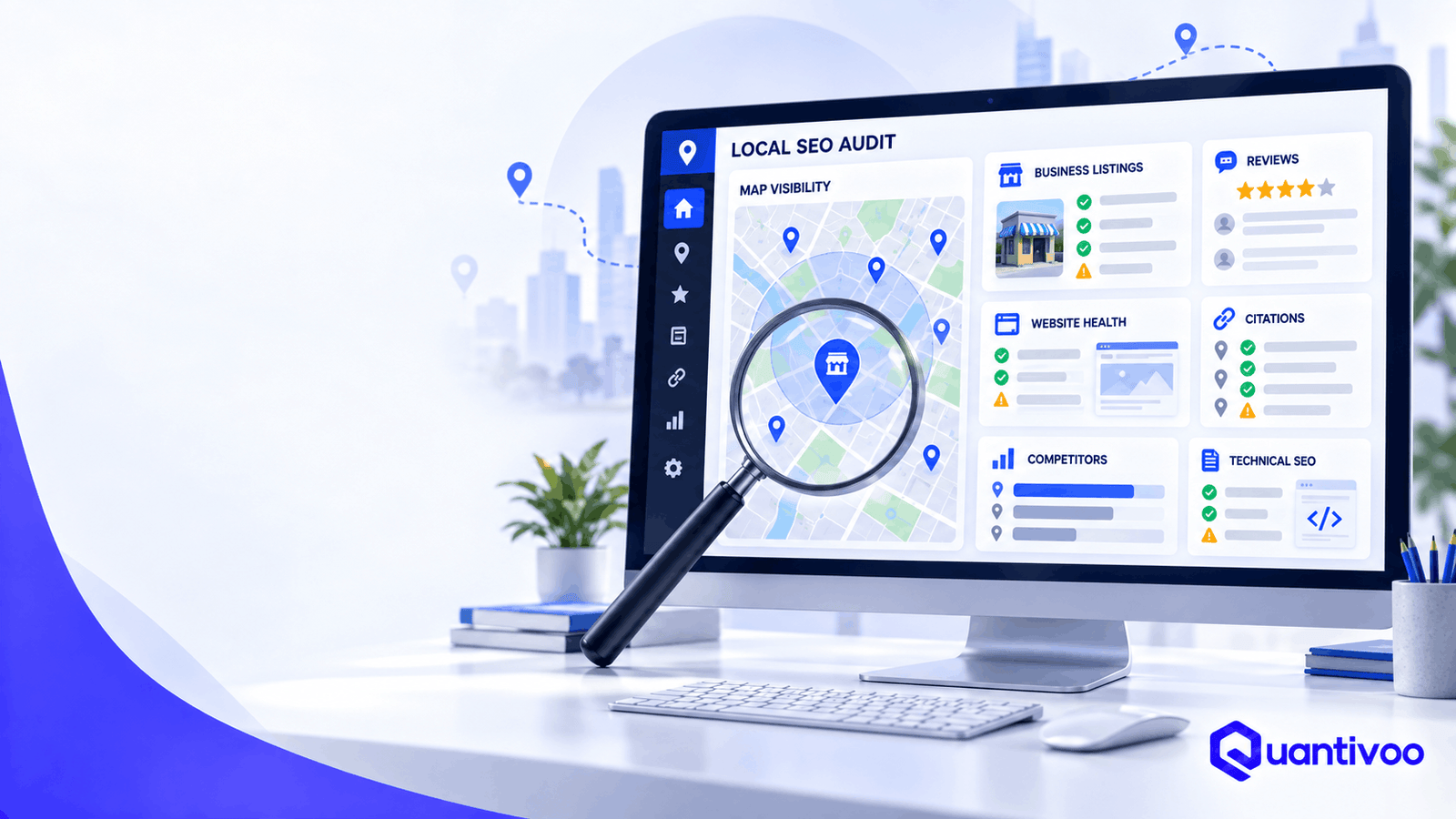
    A local SEO audit is a systematic review of a business’s Google Business Profile, website, technical SEO, local listings, citations, reviews, competitors, content, and authority to identify problems and opportunities affecting local search visibility and customer conversions.

    The goal is not to produce a meaningless “SEO score.” The goal is to answer four practical questions:

    1. What is preventing or limiting local visibility?
    2. What opportunities are competitors capturing?
    3. Which issues deserve attention first?
    4. What should the business do next?

    Local SEO Audit Checklist: The 30 Things to Check

    The following local SEO checklist is organized into five areas: Google Business Profile, website and on-page SEO, technical SEO, citations, and reviews/authority.

    For each check, look for both search visibility and business impact. A technically perfect website is not particularly useful if customers cannot find the right service or contact the business. Conversely, a strong profile cannot compensate for a website with serious indexing or conversion problems.


    Category 1 — Google Business Profile

    Google Business Profile is one of the most important assets to review in a local search audit, but it should not be treated as the entire local SEO strategy.

    Google says complete and accurate business information can help businesses appear for relevant local searches, and its guidelines require businesses to represent themselves accurately.

    1. Business Name Accuracy

    What to check:
    Compare the Google Business Profile name with the business’s real-world name.

    The name should generally reflect how the business is actually represented on signage, stationery, its website, and other real-world materials.

    Why it matters:
    An inaccurate or keyword-stuffed name can create trust and policy problems. Adding phrases such as “Best Emergency Plumber in Karachi” to a real-world business name simply to target keywords is not a sound local search strategy.

    Google’s guidelines specifically say unnecessary information should not be added to the business name.

    Red flags:

    • Extra keywords added to the name
    • Location terms that are not part of the real business name
    • Different names across important business properties
    • Old branding after a rebrand

    How to fix it:
    Use the legitimate real-world business name and document any legitimate branding changes.

    Priority: High


    2. Primary Category

    What to check:
    Confirm that the primary category accurately describes the business’s core offering.

    Why it matters:
    Categories help Google understand what the business is and what searches may be relevant. Google recommends selecting categories that are specific and representative rather than treating categories as a keyword list.

    Red flags:

    • Category chosen because it has high search demand rather than because it describes the business
    • Outdated category
    • A secondary service incorrectly selected as the primary category
    • Competitors appearing relevant for searches your profile does not clearly match

    How to fix it:
    Choose the most accurate available category for the core business. Do not change categories repeatedly simply because a competitor uses a different one.

    Priority: High


    3. Secondary Categories

    What to check:
    Review whether additional categories accurately represent meaningful parts of the business.

    Why it matters:
    Relevant secondary categories can provide additional context about what the business offers.

    Common mistake:
    Adding every remotely related category in the hope of appearing for more searches.

    More categories are not automatically better. Google’s guidance says businesses should use as few categories as necessary to describe the overall core business.

    How to fix it:
    Keep categories relevant, defensible, and representative.

    Priority: Medium


    4. Business Information

    What to check:

    • Address
    • Phone number
    • Website
    • Opening information
    • Attributes where applicable
    • Service or product information where available
    • Verification and ownership

    Why it matters:
    Google combines information supplied by businesses with information from public websites, third parties, users, and other sources.

    Incorrect information can therefore create confusion for both search engines and customers.

    Mini-example:
    If the website says the business is at “125 Main Street” but the Business Profile uses an outdated address, investigate which information is actually correct before trying to standardize everything.

    Priority: Critical when incorrect.


    5. Business Hours and Special Hours

    What to check:
    Compare regular opening hours with the hours shown on the website and other major listings. Check holiday and temporary special hours where relevant.

    Why it matters:
    Customers use opening information to make immediate decisions, especially for restaurants, retailers, healthcare businesses, and emergency services.

    Google specifically recommends keeping business information and hours up to date.

    Common mistake:
    Updating regular hours but forgetting holidays, seasonal changes, or temporary closures.

    How to fix it:
    Establish an owner for maintaining hours and review them whenever the business changes its operating schedule.

    Priority: High


    6. Service Areas

    What to check:
    For service-area businesses, confirm that the areas served are accurate and commercially meaningful.

    Why it matters:
    A service-area business needs to communicate where it genuinely serves customers. The service area should support customer understanding rather than become a list of every nearby town.

    Red flags:

    • Areas never actually served
    • Former service territories
    • Service areas that conflict with the business’s operational model
    • Attempts to create a profile for an ineligible location

    How to fix it:
    Use accurate service information and follow Google’s eligibility and representation rules.

    Priority: High


    7. Business Description and Services

    What to check:
    Review whether the description clearly explains what the business does, whom it serves, and what makes it useful.

    Review listed services for accuracy and completeness.

    Why it matters:
    Clear information helps potential customers understand the business and gives Google more accurate business context.

    Common mistake:
    Writing a paragraph stuffed with city names and keywords.

    Google’s guidelines say descriptions should be useful, relevant, and honest rather than promotional keyword dumps.

    How to fix it:
    Write for customers first. Explain services naturally.

    Priority: Medium


    8. Photos and Visual Completeness

    What to check:

    • Exterior
    • Interior
    • Team
    • Products/services
    • Facilities
    • Relevant customer-facing visuals
    • Outdated or misleading images

    Why it matters:
    Photos help customers understand what to expect. Google also recommends adding photos and videos to Business Profiles.

    Red flags:

    • Only a logo
    • Old storefront photos
    • Images from before a renovation
    • Poor-quality or irrelevant images
    • No visual evidence of the business experience

    How to fix it:
    Build a sustainable process for adding useful, authentic visuals.

    Priority: Medium


    Category 2 — Website & On-Page Local SEO

    Your website is the second half of many local search journeys.

    Google may use publicly available website information when compiling business information, and standard organic search practices also matter for local visibility.

    9. NAP Consistency on the Website

    What to check:
    NAP means Name, Address, and Phone number.

    Check whether the site’s contact information agrees with the current business information.

    Why it matters:
    Consistency reduces ambiguity and creates a more trustworthy local presence.

    Important nuance:
    NAP consistency should not become an obsession with identical punctuation everywhere. A meaningful discrepancy—such as an old phone number or former address—is much more important than whether one directory uses “St.” and another spells out “Street.”

    Mini-example:
    +92 300 1234567 versus (0300) 1234567 may be formatting variation.
    An old number that reaches a different business is a genuine problem.

    Priority: High when substantive information is wrong.


    10. Location and Service-Page Structure

    What to check:
    Map your important services and locations to appropriate pages.

    For example:

    • /services/emergency-plumbing/
    • /locations/karachi/
    • /locations/lahore/

    The exact architecture depends on the business.

    Why it matters:
    Search engines and customers need to understand which page addresses which intent.

    Common mistake:
    Creating dozens of near-identical city pages with only the city name changed.

    How to fix it:
    Create a location page when the location represents a meaningful customer market and the business can provide genuinely useful local information.

    Priority: High


    11. Title Tags and Meta Descriptions

    What to check:
    Review important pages for clear, descriptive titles and useful search snippets.

    Why it matters:
    Titles help communicate page relevance. Meta descriptions can influence how a result is presented and whether users find it compelling.

    Red flags:

    • Every page has the same title
    • Titles are excessively long or repetitive
    • Location pages use awkward keyword combinations
    • Service pages do not clearly identify the service

    How to fix it:
    Write concise titles around the actual page topic and user intent.

    Priority: Medium


    12. Local Search Intent Alignment

    What to check:
    Search the queries that matter to the business and examine what users appear to want.

    Compare that intent with your page.

    Example:
    A page targeting “emergency dentist near me” should make it immediately obvious that the practice provides emergency dental care, where it operates, how to contact it, and what patients should do next.

    Why it matters:
    A page can contain the right keywords while still failing the underlying intent.

    Priority: High


    13. Location-Page Quality

    What to check:
    Audit every location page for original, useful information.

    A strong location page might include:

    • Services available there
    • Address or service-area information
    • Local contact details
    • Staff or practitioners where relevant
    • Directions
    • Parking/access information
    • Local project examples
    • FAQs genuinely relevant to customers
    • Unique photos
    • Local regulations or considerations where useful

    Red flag:
    Twenty pages with identical copy saying, “We are the leading plumber in [city].”

    That creates little additional value.

    How to fix it:
    Either substantially improve the page with useful local information or reconsider whether a separate page is necessary.

    Priority: High


    14. Internal Linking

    What to check:
    Can users and crawlers move logically between:

    • Service pages
    • Location pages
    • Core business pages
    • Helpful resources
    • Contact/conversion pages?

    Why it matters:
    Internal links help users navigate and help search engines discover relationships between pages.

    Google’s crawling documentation recommends logical URL structures and crawlable links.

    How to fix it:
    Build contextual links rather than adding a giant footer full of city names.

    Priority: Medium


    15. Local Relevance and Topical Coverage

    What to check:
    Does the site demonstrate meaningful expertise around the services customers seek?

    A roofing company, for example, might need useful coverage around roof inspections, storm damage, roof repair, materials, maintenance, and local building considerations.

    Why it matters:
    Useful topical coverage can help a site serve a broader range of customer questions and demonstrate relevance.

    Common mistake:
    Publishing dozens of low-value articles solely to target every variation of a keyword.

    How to fix it:
    Prioritize customer problems, service expertise, and questions that genuinely arise during the buying journey.

    Priority: Medium–High


    16. Conversion Paths

    What to check:
    Once a visitor arrives, can they easily:

    • Call?
    • Request a quote?
    • Book?
    • Get directions?
    • Contact the business?
    • Understand the next step?

    Why it matters:
    Visibility without conversion is incomplete local search optimization.

    Mini-example:
    A local electrician receives organic traffic but has no prominent phone number on mobile. Fixing the conversion path may be more commercially valuable than publishing another blog post.

    Priority: High


    Category 3 — Technical Local SEO

    Technical SEO is often invisible to customers until something breaks.

    A page being indexed is not the same as that page ranking well. Google explicitly notes that being indexed does not guarantee that a page will appear in search results.

    17. Indexability

    What to check:
    Confirm that important pages can be indexed.

    Use Google Search Console’s URL Inspection tool to investigate important URLs.

    Check for:

    • noindex
    • indexing exclusions
    • unexpected canonicalization
    • access problems
    • duplicate URLs
    • manual or security issues

    Healthy result:
    Important commercial and location pages are eligible for indexing.

    Problem:
    Your main service page has accidentally been marked noindex.

    Priority: Critical


    18. Crawlability

    What to check:
    Can search-engine crawlers reach important pages through links and normal website architecture?

    Google’s documentation distinguishes crawling—the ability to access content—from indexing and ranking.

    Red flags:

    • Important pages isolated from navigation
    • Broken internal links
    • JavaScript-dependent navigation that prevents discovery
    • Accidental crawl restrictions
    • Large numbers of useless URL variants

    How to fix it:
    Make important pages discoverable through normal, crawlable links and a logical site structure.

    Priority: High


    19. XML Sitemap

    What to check:
    Confirm that an XML sitemap exists where appropriate and contains useful canonical URLs.

    Google describes sitemaps as a way to tell Google about pages that are new or updated. They are useful signals, not guarantees that every URL will be crawled or indexed.

    Red flags:

    • 404 pages in the sitemap
    • Redirecting URLs
    • Non-canonical URLs
    • Important pages missing
    • Stale sitemap data

    How to fix it:
    Clean the sitemap and submit/monitor it through Search Console where appropriate.

    Priority: Medium–High


    20. Robots.txt

    What to check:
    Review whether robots.txt unintentionally blocks important resources or URLs.

    Why it matters:
    Robots.txt controls crawling access; it is not simply an “SEO settings file.”

    A page blocked from crawling cannot be properly evaluated in the same way as an accessible page.

    Common mistake:
    A developer blocks an entire staging-style directory and accidentally includes live commercial pages.

    How to fix it:
    Review rules carefully and test important URLs.

    Priority: Critical if important content is blocked.


    21. Canonical Tags

    What to check:
    Look for duplicate or highly similar URLs and inspect their canonical signals.

    Canonicalization helps Google identify a representative URL among duplicates, but Google’s documentation makes clear that a canonical declaration is a hint rather than an absolute command.

    Red flags:

    • Service pages canonicalized to the homepage
    • Location pages canonicalized to another city
    • HTTP pages canonicalized incorrectly
    • Conflicting canonical signals

    How to fix it:
    Choose the intended canonical URL and align internal links, redirects, sitemap entries, and canonical signals where appropriate.

    Priority: High


    22. Redirects and Broken URLs

    What to check:

    • 404 pages
    • 5xx errors
    • Redirect chains
    • Redirect loops
    • Old URLs
    • Links to deleted location pages
    • Internal links pointing to redirected URLs

    Why it matters:
    Website migrations and rebrands frequently create local SEO problems because location and service URLs are changed without adequate redirect planning.

    How to fix it:
    Map old URLs to the most relevant current destinations. Do not redirect every old URL to the homepage regardless of topic.

    Priority: High


    23. Mobile Usability

    What to check:
    Test important local pages on real mobile devices.

    Look at:

    • Tap targets
    • Phone-number accessibility
    • Forms
    • Navigation
    • Pop-ups
    • Text size
    • Maps
    • Sticky elements

    Google recommends providing a good overall page experience, including mobile usability.

    Priority: High


    24. Page Performance and Core Web Vitals

    What to check:
    Evaluate loading performance, responsiveness, and visual stability.

    Core Web Vitals include:

    • LCP — loading performance
    • INP — responsiveness
    • CLS — visual stability

    Google recommends good Core Web Vitals as part of a strong page experience, but page speed should not be treated as an isolated ranking switch.

    Common mistake:
    Spending weeks chasing a tiny laboratory score while ignoring a broken booking form.

    How to fix it:
    Improve meaningful user experience first, particularly on important commercial pages.

    Priority: Medium–High


    25. Structured Data

    What to check:
    Determine whether appropriate structured data is implemented accurately and whether it describes the visible page content.

    Depending on the business and page, this can include relevant organization, local business, product, service, or other supported structured-data types.

    Why it matters:
    Structured data can help search engines understand content and can make eligible pages qualify for certain search features.

    Important distinction:
    Structured data is not a guarantee of higher rankings or enhanced search appearance.

    Red flags:

    • Marking up information not visible on the page
    • Incorrect business details
    • Invalid markup
    • Using structured data purely to manipulate search appearance

    How to fix it:
    Use appropriate schema, validate it, and keep it synchronized with visible information.

    Priority: Medium


    Category 4 — Citations & Local Listings

    26. Citation Consistency

    What to check:
    Audit important business listings for:

    • Name
    • Address
    • Phone
    • Website
    • Hours
    • Category
    • Business status

    This is your local citations audit.

    Why it matters:
    Google obtains local business information from multiple sources, including public web content, third parties, users, and business owners.

    Accurate information across important sources helps reduce ambiguity.

    Common mistake:
    Assuming every tiny directory deserves equal attention.

    How to fix it:
    Start with authoritative, relevant, frequently used, or industry-specific sources.

    Priority: Medium–High


    27. Duplicate Listings

    What to check:
    Search for multiple listings representing the same location.

    Look for:

    • Old business names
    • Former addresses
    • Duplicate profiles
    • Former practitioners
    • Merged businesses
    • Relocated businesses

    Google’s guidelines generally call for one Business Profile per business/location, subject to its specific exceptions.

    Why it matters:
    Duplicates can confuse customers and create messy business information.

    How to fix it:
    Determine which listing is legitimate, then follow the relevant platform’s process for merging, removing, or updating duplicates.

    Priority: High


    28. Important Industry and Local Directories

    What to check:
    Identify directories that actually matter for the business.

    Examples might include:

    • Industry associations
    • Chambers of commerce
    • Major local platforms
    • Vertical-specific directories
    • Trusted review platforms
    • Professional organizations

    Why it matters:
    A relevant industry citation can be more useful than dozens of low-quality directories.

    Recommendation:
    Think quality, relevance, accuracy, and usefulness, not raw citation count.

    There is no practical reason to chase hundreds of questionable listings merely to increase a spreadsheet total.

    Priority: Medium


    Category 5 — Reviews, Competitors & Authority

    29. Review Profile

    A local reviews audit should look beyond the average star rating.

    What to check:

    • Review volume
    • Average rating
    • Recency
    • Review themes
    • Response practices
    • Negative feedback patterns
    • Customer experience issues
    • Review-platform diversity where relevant
    • Compliance with platform policies

    Google says reviews can help a business stand out and that positive ratings and review quantity can contribute to local prominence.

    Google also prohibits incentives for reviews and other misleading review practices.

    Red flags:

    • Long periods with no reviews
    • Sudden unexplained review patterns
    • Repeated customer complaints about the same issue
    • No response to legitimate complaints
    • Staff asking customers to leave only positive reviews
    • Purchased or incentivized reviews

    How to fix it:
    Improve the customer experience, make legitimate review requests part of the customer journey, and respond professionally to feedback.

    Do not buy reviews.

    Priority: High


    30. Local Competitors and Authority Gap

    A useful local competitor analysis does not ask only, “Who ranks #1?”

    It asks:

    What are competitors doing that we are not?

    Compare relevant competitors across:

    • Google Maps visibility
    • Local Pack presence
    • Organic visibility
    • Primary and secondary categories
    • Reviews
    • Review recency
    • Service coverage
    • Location pages
    • Content depth
    • Backlinks
    • Citations
    • Local partnerships
    • Brand mentions
    • Customer experience signals
    • Conversion experience

    Google describes prominence as including information such as links and reviews, while also noting that local ranking is based primarily on relevance, distance, and prominence.

    Important: Competitor analysis should not become competitor copying.

    If three competitors have 50 blog posts, that does not automatically mean you need 50 blog posts. Ask what customer need those pages serve and whether there is a better opportunity.

    Priority: High


    A Practical Example of Local SEO Diagnosis

    Imagine a dental practice that says:

    “We used to receive calls from Google, but visibility has declined.”

    A superficial audit might check its ranking for “dentist near me” and stop there.

    A better local SEO analysis might discover:

    • The practice moved six months ago.
    • Several important directories still show the old address.
    • The website has location pages with outdated information.
    • The Google Business Profile has the new address.
    • Search Console shows several old URLs returning 404s.
    • The new location page is not internally linked.
    • Competitors have significantly more recent reviews.
    • The site’s mobile booking form is difficult to use.

    The correct recommendation is not simply “add more keywords.”

    The business has a data consistency problem, technical migration problem, authority gap, and conversion problem.

    That is what a good audit is designed to uncover.


    How to Score Your Local SEO Audit

    A scoring system can make a large audit easier to understand.

    Use this diagnostic framework:

    ScoreMeaning
    0Missing / Critical
    1Needs major improvement
    2Partially optimized
    3Strong
    4Excellent

    For each of the 30 checks, assign a score from 0–4.

    How to Calculate the Overall Score

    There are 30 checks with a maximum of 4 points each.

    Maximum score = 120

    Your percentage can be calculated as:

    Total points ÷ 120 × 100

    For example, a business scoring 78 points would have:

    78 ÷ 120 × 100 = 65%

    But do not call 65% a “Google SEO score.”

    It is simply an audit health score.

    A business with a 90% audit score can still rank below a competitor because local search is not governed by a public checklist score.

    More importantly, a business with a 55% score might have one extremely serious problem—such as an incorrect address or noindex directive—that deserves attention before ten minor improvements.


    How to Prioritize Local SEO Problems

    Not every finding deserves immediate action.

    A useful prioritization system is:

    P0 — Critical

    Issues that can seriously disrupt visibility, customer access, or business information.

    Examples:

    • Business Profile suspension
    • Wrong address
    • Incorrect phone number
    • Important pages blocked from indexing
    • Major migration failures
    • Broken conversion path

    P1 — High Impact

    Issues likely to have meaningful commercial or visibility implications.

    Examples:

    • Poor primary category selection
    • Missing important service/location pages
    • Major citation inconsistencies
    • Weak review management
    • Serious competitor gaps
    • Poor internal linking to key pages

    P2 — Medium Impact

    Useful improvements that should follow foundational work.

    Examples:

    • Content gaps
    • Secondary categories
    • Image improvements
    • Minor technical cleanup
    • Additional relevant directories

    P3 — Nice-to-Have

    Low-risk refinements with relatively limited immediate impact.

    Examples:

    • Minor metadata improvements
    • Cosmetic enhancements
    • Low-priority directory opportunities

    Impact vs. Effort

    One of the best ways to prioritize is to compare:

    Potential impact × confidence × business value

    against:

    Implementation effort

    A one-hour fix that restores a broken phone number is usually more valuable than a 20-hour content project.

    Likewise, a technically complex change that has little relevance to customers may deserve to wait.

    The objective is not to complete the most tasks.

    It is to complete the right tasks first.


    Free Local SEO Audit vs. Professional Local SEO Audit

    Many businesses can perform a useful first-pass audit themselves.

    You can manually check:

    • Google Business Profile information
    • Website contact details
    • Major directories
    • Reviews
    • Location pages
    • Important competitors
    • Mobile usability
    • Search Console basics

    The difficulty increases when you need to compare large datasets or diagnose technical relationships.

    Specialized tools can help uncover:

    • Indexing patterns
    • Broken links
    • Redirect chains
    • Duplicate metadata
    • Canonical issues
    • Page performance
    • Backlink gaps
    • Citation inconsistencies
    • Competitor visibility
    • Keyword opportunities
    • Search performance trends

    The value of an experienced SEO professional is not simply access to a larger toolset.

    It is the ability to interpret evidence and prioritize it correctly.

    For example, a crawler might report hundreds of URLs with similar titles. An experienced auditor needs to determine whether those URLs are genuinely problematic or simply normal variations created by the site’s architecture.

    If you have identified several high-priority issues but lack the time or technical resources to diagnose them properly, a professional Local SEO Audit can turn those findings into a prioritized action plan.


    Common Local SEO Audit Mistakes

    1. Focusing Only on Rankings

    Rankings fluctuate by location, device, query, personalization, competition, and other factors.

    A local SEO audit should examine visibility, traffic, leads, calls, conversions, technical health, and competitive position—not just one ranking number.

    2. Obsessing Over Keyword Density

    Repeating “best plumber in Karachi” twenty times does not make a page better.

    Write naturally and cover the topic thoroughly.

    3. Chasing Hundreds of Citations

    More listings are not automatically better.

    Prioritize accurate, relevant, trustworthy sources.

    4. Ignoring Technical SEO

    A beautiful Business Profile cannot fix a website that accidentally blocks important pages from indexing.

    5. Creating Thin Location Pages

    Do not create a page for every city simply by replacing one city name with another.

    Location pages should exist because they serve a genuine user need.

    6. Copying Competitors

    Competitor analysis should identify opportunities—not dictate your entire strategy.

    7. Buying Reviews

    This creates policy and reputation risk and undermines customer trust. Google prohibits incentivized review manipulation.

    8. Ignoring Conversion Data

    If local traffic increases but leads do not, the problem may be the website experience rather than search visibility.

    9. Treating All Competitors as Equal

    Your true competitive set depends on the service, location, query, and customer intent.

    A national brand might compete with you for one query but be irrelevant to another.

    10. Failing to Prioritize Findings

    An audit with 150 observations can be less useful than one with 25 findings clearly ranked by impact.


    How Often Should You Perform a Local SEO Audit?

    There is no universal schedule, but these situations are strong triggers.

    Annually

    A comprehensive audit at least once a year can identify accumulated issues.

    After a Website Migration

    Audit before, during, and after a migration when possible.

    Pay particular attention to:

    • URLs
    • Redirects
    • Canonicals
    • Internal links
    • Sitemaps
    • Indexing
    • Location pages
    • Conversion paths

    After Moving Locations

    An address change can affect your website, Business Profile, citations, directories, customer communications, and more.

    After a Major Google Business Profile Change

    If the category, address, business model, or service area changes significantly, review the entire local presence.

    After a Significant Visibility or Traffic Decline

    Do not automatically assume an algorithm update caused the decline.

    Investigate:

    • Technical changes
    • Website releases
    • Competitor changes
    • Review trends
    • Business Profile changes
    • Search demand
    • Tracking changes
    • Lost pages
    • Lost links

    After Acquiring Another Business

    Mergers and acquisitions can leave behind duplicate profiles, old websites, inconsistent addresses, conflicting branding, and legacy URLs.

    Before Expanding Into New Markets

    Audit the competitive landscape and determine whether the business has the local infrastructure, content, authority, and operational capacity to serve the new market.


    What Does a Professional Local SEO Audit Report Include?

    A professional local SEO report should be more than a spreadsheet of errors.

    A useful deliverable typically includes:

    Executive Summary

    A short explanation of the biggest opportunities and risks.

    Findings

    Specific observations supported by evidence.

    Evidence

    Screenshots, URLs, crawl findings, Search Console observations, competitor comparisons, listing examples, or other appropriate evidence.

    Severity

    Each finding should have a meaningful priority.

    Recommendations

    Explain what should change and why.

    Implementation Priority

    Group recommendations into P0, P1, P2, and P3.

    Competitor Insights

    Show where relevant competitors appear stronger or weaker.

    Opportunities

    Identify areas where the business can potentially create differentiated value.

    Next Steps

    Turn the audit into an actionable roadmap.

    For an agency, customize this section around your actual methodology rather than claiming a standardized process that does not exist.


    Local SEO Audit Tools

    There is no single local SEO audit tool that reliably evaluates everything.

    Different tools answer different questions.

    Google Business Profile Tools

    Use these to manage and inspect business information, reviews, photos, and profile data.

    Google Search Console

    Useful for:

    • Search performance
    • Indexing
    • URL Inspection
    • Search queries
    • Pages
    • Technical search visibility

    Search Console’s Performance report provides clicks, impressions, CTR, and query/page information.

    Analytics

    Analytics platforms help evaluate what happens after users arrive.

    Look at:

    • Organic traffic
    • Engagement
    • Lead generation
    • Calls
    • Form submissions
    • Bookings
    • Revenue where appropriate

    Crawling Tools

    Crawlers can help identify:

    • Broken links
    • Redirects
    • Metadata problems
    • Canonicals
    • Duplicate pages
    • Internal linking issues
    • Indexability signals

    Technical SEO Tools

    Useful for deeper diagnostics involving page performance, structured data, rendering, and technical architecture.

    Rank Tracking

    Useful when you need to monitor visibility across defined locations and query sets.

    Remember that a rank-tracking number is a measurement—not the whole picture.

    Citation Management

    Useful for finding and maintaining business listings across relevant directories.

    Backlink Analysis

    Useful for comparing local authority, referring domains, relevant links, and competitive gaps.

    Competitor Research

    Useful for comparing:

    • Keywords
    • Content
    • Links
    • Reviews
    • Categories
    • Local visibility
    • Service coverage

    No tool replaces judgment. Treat tool output as evidence to investigate, not as an automatic list of instructions.


    Frequently Asked Questions

    What is a local SEO audit?

    A local SEO audit is a structured review of a business’s Google Business Profile, website, technical SEO, citations, reviews, competitors, content, and authority. It identifies problems and opportunities and prioritizes actions that may improve local visibility and customer experience.

    How do I perform a local SEO audit?

    Start with the Google Business Profile, then audit the website, technical SEO, citations, reviews, and competitors. Validate important findings with tools such as Google Search Console and website crawlers, then rank findings according to business impact and implementation effort.

    What should a local SEO audit include?

    At minimum, review Business Profile accuracy, categories, hours, service areas, website NAP, location pages, search intent, indexing, crawlability, sitemap, robots.txt, canonicals, redirects, mobile usability, performance, structured data, citations, duplicate listings, reviews, competitors, and authority.

    How long does a local SEO audit take?

    A basic manual audit can take a few hours. A comprehensive audit may take substantially longer depending on the number of locations, website size, technical complexity, citation footprint, competitive market, and depth of analysis required.

    There is no useful universal time estimate for every business.

    How often should local SEO be audited?

    An annual comprehensive audit is a reasonable baseline. Perform additional audits after major website changes, migrations, location moves, Business Profile changes, acquisitions, market expansion, or significant unexplained declines in search visibility or leads.

    What is the most important local SEO factor?

    There is no single universal factor that guarantees local visibility.

    Google says local results are primarily based on relevance, distance, and prominence.

    Which factor matters most for an individual business depends on the query, location, competitors, and business circumstances.

    How do I audit my Google Business Profile?

    Verify ownership and eligibility, then review the business name, primary category, secondary categories, address/service area, hours, website, description, services, photos, reviews, and overall accuracy. Compare the profile with the business’s real-world information and important web properties.

    How do I check NAP consistency?

    Create a master record containing the current business name, address, and phone number. Check the website and important directories against that record. Separate meaningful discrepancies—such as old addresses—from harmless formatting differences.

    How do I audit local citations?

    Identify important directories and platforms where the business should appear, then check whether listings are accurate, complete, current, relevant, and duplicated. Prioritize authoritative and industry-relevant sources instead of attempting to maximize raw citation volume.

    Can a local SEO audit improve local rankings?

    An audit itself does not improve rankings. It identifies issues and opportunities. Fixing meaningful problems may improve a site’s technical health, relevance, customer experience, or local presence, but no audit can guarantee a specific Google Maps or organic ranking.

    What tools can I use for a local SEO audit?

    Depending on the audit, you may use Google Business Profile, Google Search Console, analytics, crawling tools, technical SEO tools, page-performance testing, rank tracking, citation-management platforms, backlink tools, and competitor research tools.

    No single tool provides a complete local search audit.

    Should I hire a professional for a local SEO audit?

    Professional help can be worthwhile when the business has multiple locations, a complex website, a migration problem, significant traffic loss, competitive markets, inconsistent listings, or limited internal SEO expertise.

    The most useful professional audit should explain not only what is wrong, but why it matters and what should be done first.


    Author & Expert Review

    [AUTHOR NAME]
    [ROLE]
    [YEARS OF SEO EXPERIENCE]
    [LOCAL SEO SPECIALTIES]
    [RELEVANT CREDENTIALS]
    [LINK TO AUTHOR BIO]

    Expert Reviewer:
    [EXPERT REVIEWER]
    [REVIEWER CREDENTIALS]

    Editorial note: Customize these fields with verified information only. Do not publish placeholder credentials or experience claims.


    Final Takeaway: A Local SEO Audit Should Lead to Decisions

    A good local SEO audit is not a treasure hunt for as many errors as possible.

    It is a decision-making process.

    You want to know:

    • Is the business represented accurately?
    • Can search engines access and understand the important pages?
    • Does the website satisfy local customer intent?
    • Are important business listings accurate?
    • Does the review profile reflect a healthy customer experience?
    • Where are competitors stronger?
    • Which problems could materially affect the business?
    • What should be fixed first?

    The most valuable audit finding may be technical. It may be a missing service page. It may be an incorrect address. It may be a competitor authority gap. Or it may be a conversion problem that has nothing to do with rankings.

    The point is to find the real constraint.

    If you’ve identified several high-priority issues but don’t have the time or technical resources to diagnose them properly, a professional Local SEO Audit can turn those findings into a prioritized action plan.

    [REQUEST A LOCAL SEO AUDIT]

    The objective should never be to promise a particular ranking position. The objective is to build a more accurate, useful, technically sound, locally relevant search presence—and make the business easier for customers to discover, understand, and contact.

  • How to Add Meta Keywords in WordPress Without a Plugin

    How to Add Meta Keywords in WordPress Without a Plugin

    Yes, you can add a meta keywords tag to a WordPress website without installing a plugin. The tag can be added directly to a theme’s HTML <head> or generated programmatically with WordPress’s wp_head hook.

    However, there is an important SEO caveat: Google Search does not use the meta keywords tag for ranking or indexing. Google explicitly lists meta keywords among the things website owners should not focus on for SEO.

    If you need the tag for a legacy system, an internal search application, a third-party requirement, testing, or another specific technical reason, you can still implement it manually. Just don’t mistake technical implementation for an effective Google SEO strategy.


    What Are Meta Keywords?

    Meta keywords are an old HTML metadata mechanism that lets a website specify a list of words or phrases associated with a page.

    A basic meta keywords tag looks like this:

    <meta name="keywords" content="keyword one, keyword two, keyword three">

    The tag contains three important parts:

    • <meta> — identifies the element as an HTML metadata element.
    • name="keywords" — identifies the type of metadata.
    • content="..." — contains the keyword list.

    Meta tags normally belong inside the HTML <head> section rather than the visible page content.

    Why were meta keywords used?

    Search engines historically used various forms of metadata to help understand web pages. This led website owners to add lists of terms they believed described their content.

    The problem was that a website owner could put virtually anything into the tag. That made the information unreliable as a ranking signal.

    Google no longer uses the keywords meta tag for Search. Its current documentation explicitly says that Google Search doesn’t use the tag.

    Meta keywords vs. keywords in your content

    These are two different concepts.

    Meta keywords are hidden HTML metadata:

    <meta name="keywords" content="wordpress seo, wordpress keywords">

    Content keywords are words and phrases that naturally appear in your:

    • page title
    • headings
    • paragraphs
    • links
    • image descriptions where appropriate
    • URLs
    • related content

    The fact that meta keywords are obsolete does not mean that language and topic relevance are irrelevant to SEO. Google recommends creating helpful, people-first content and making the subject of a page clear.


    Do Meta Keywords Help Google Rankings?

    No. Meta keywords do not improve Google rankings.

    Google’s current SEO documentation explicitly states that Google Search doesn’t use the keywords meta tag. Google has also directly answered the question in its SEO Office Hours material: meta keywords do not help with SEO.

    That distinction is important:

    ElementCan be added to WordPress?Useful for Google SEO?
    Meta keywordsYesNo
    Page titleYesYes, useful for describing the page
    H1YesUseful for communicating page structure/topic
    Meta descriptionYesCan influence how a search snippet is generated, but isn’t a direct ranking boost
    Helpful page contentYesImportant
    Internal linksYesUseful for users and helping search engines understand relationships
    Structured dataYesUseful when it accurately represents qualifying content
    XML sitemapYesHelps search engines discover URLs
    Canonical URLYesHelps communicate preferred URLs

    Google’s current guidance also emphasizes helpful, reliable, people-first content, descriptive titles, useful links, and clear page information rather than outdated metadata tricks.

    So if you’re adding meta keywords solely because you expect better Google rankings, stop there. Your time is better spent improving the actual page.

    If, however, another system requires a keywords tag, you can add one.


    Before You Add Meta Keywords

    There are still situations where someone might need a keywords meta tag for technical reasons.

    For example:

    • You are maintaining a legacy website.
    • An internal search system reads the tag.
    • A third-party platform specifically requests it.
    • You are testing metadata behavior.
    • An older application depends on the tag.
    • You are migrating or maintaining an old WordPress implementation.
    • A non-Google system has a documented requirement for it.

    These are implementation reasons, not evidence that the tag will improve Google rankings.

    If the only reason you’re considering meta keywords is SEO, don’t add them. Google says they aren’t used by Search.


    Method 1: Add Meta Keywords to a WordPress Theme

    The simplest manual approach is to place the meta tag inside the site’s HTML <head>.

    This method is most straightforward with a classic WordPress theme that has a header.php template.

    Step 1: Back Up Your Website

    Before editing theme code:

    1. Back up your files.
    2. Back up your database.
    3. Ideally, test the change on a staging website first.

    A small PHP or HTML mistake can cause problems on a live WordPress site, so don’t treat theme-file editing as risk-free.

    Step 2: Locate header.php

    For a classic theme, look for:

    /wp-content/themes/your-theme/header.php

    Depending on your hosting setup, you may access the file through:

    • your hosting file manager
    • SFTP
    • SSH
    • a code editor
    • a development environment
    • WordPress’s theme file editor, if your installation makes it available

    The exact interface varies by hosting provider and WordPress configuration.

    Step 3: Find the <head> Section

    You may see something similar to:

    <head>
        <meta charset="UTF-8">
    
        <meta name="viewport" content="width=device-width, initial-scale=1.0">
    
        <?php wp_head(); ?>
    </head>

    The meta keywords tag belongs inside this <head> element.

    For example:

    <head>
        <meta charset="UTF-8">
    
        <meta name="viewport" content="width=device-width, initial-scale=1.0">
    
        <meta name="keywords" content="wordpress seo, wordpress keywords, wordpress tutorial">
    
        <?php wp_head(); ?>
    </head>

    The result in the rendered HTML should look like:

    <meta name="keywords" content="wordpress seo, wordpress keywords, wordpress tutorial">

    Important warning about editing header.php

    Do not routinely edit a parent theme’s files directly.

    When the parent theme is updated, your modification can be replaced.

    WordPress recommends child themes as a way to modify an existing theme without directly modifying the parent theme. Child-theme customizations can remain separate from parent-theme updates.

    For a long-term site, a child theme or another controlled code-management approach is safer.


    Method 2: Add Meta Keywords Programmatically With wp_head

    For developers, a cleaner approach is to use WordPress’s wp_head action.

    WordPress documents wp_head as an action that prints scripts or data inside the front-end <head> section. The hook is triggered by the theme’s wp_head() function.

    Instead of editing header.php, you can add a function to your child theme’s functions.php.

    For example:

    <?php
    
    function example_add_meta_keywords() {
        echo '<meta name="keywords" content="wordpress seo, wordpress keywords, wordpress tutorial">' . "\n";
    }
    
    add_action( 'wp_head', 'example_add_meta_keywords' );

    How this code works

    The function:

    function example_add_meta_keywords() {

    creates a PHP function.

    This line:

    echo '<meta name="keywords" content="wordpress seo, wordpress keywords, wordpress tutorial">' . "\n";

    outputs the HTML meta tag.

    Finally:

    add_action( 'wp_head', 'example_add_meta_keywords' );

    tells WordPress to execute your function when the wp_head action runs.

    WordPress’s add_action() function is specifically designed to attach a callback to an action hook.

    Why use functions.php?

    For a classic child theme, this approach has several advantages:

    • You don’t have to modify header.php.
    • The code is easy to remove.
    • The implementation can be conditional.
    • You can manage the metadata with PHP.
    • Your custom code is separated from the parent theme.

    WordPress’s documentation specifically notes that a child theme’s functions.php can be used to modify functionality without editing the parent theme’s file.

    Important: don’t blindly copy this into every site

    The exact implementation depends on the theme and the reason you’re adding the metadata.

    Also check whether another theme, plugin, or custom function is already outputting a keywords tag. Otherwise, you could accidentally create duplicate metadata.


    Method 3: Add Meta Keywords Only to Specific Pages

    Adding exactly the same keywords to every page is usually unnecessary.

    If you have a legitimate technical reason for using meta keywords, conditional output is often cleaner.

    For example, suppose you only want the tag on the homepage:

    <?php
    
    function example_homepage_meta_keywords() {
        if ( ! is_front_page() ) {
            return;
        }
    
        echo '<meta name="keywords" content="wordpress seo, wordpress development, technical seo">' . "\n";
    }
    
    add_action( 'wp_head', 'example_homepage_meta_keywords' );

    The important part is:

    if ( ! is_front_page() ) {
        return;
    }

    That prevents the tag from being printed on other pages.

    Specific page

    You could target a particular page:

    <?php
    
    function example_page_meta_keywords() {
        if ( ! is_page( 123 ) ) {
            return;
        }
    
        echo '<meta name="keywords" content="wordpress seo, technical seo">' . "\n";
    }
    
    add_action( 'wp_head', 'example_page_meta_keywords' );

    Replace 123 with the relevant page ID.

    Blog posts

    You can target individual posts with:

    if ( is_single() ) {
        // Output the required metadata.
    }

    Categories

    You can conditionally target category archives:

    if ( is_category() ) {
        // Output the required metadata.
    }

    Custom post types

    For a custom post type, you could use:

    if ( is_singular( 'product' ) ) {
        // Output the required metadata.
    }

    The exact condition should reflect the structure of your website.

    Why conditional metadata is preferable

    If a site genuinely needs this tag, it makes more sense to associate metadata with the content it describes than to put one identical keyword list on every URL.

    Again, this is an implementation-quality recommendation—not a Google ranking recommendation.


    A Safer Dynamic Example

    If the keywords are coming from a trusted source or variable, escape the output rather than inserting arbitrary text directly into HTML.

    For example:

    <?php
    
    function example_meta_keywords() {
        $keywords = 'wordpress seo, wordpress development, technical seo';
    
        printf(
            '<meta name="keywords" content="%s">' . "\n",
            esc_attr( $keywords )
        );
    }
    
    add_action( 'wp_head', 'example_meta_keywords' );

    Here:

    esc_attr( $keywords )

    escapes the value for use in an HTML attribute.

    This becomes especially important if metadata eventually comes from a custom field, database value, theme setting, or another user-controlled source.

    Don’t build HTML by blindly concatenating untrusted input.


    What About Modern WordPress Block Themes?

    This is where older WordPress tutorials can become confusing.

    A modern block theme does not necessarily work like a traditional classic theme with a conventional header.php workflow.

    Therefore, don’t assume that every WordPress installation has a header.php file you should edit.

    The programmatic wp_head approach can still be appropriate where the active theme fires the hook. WordPress describes wp_head as theme-dependent, although it is widely supported.

    If you’re working with a block theme, inspect how that theme handles its document head before modifying files.

    For a production site, avoid blindly pasting a classic-theme tutorial into a block-theme implementation.


    Why You Should Prefer a Child Theme for Custom Code

    If you’re using a classic parent theme and need to add custom PHP, a child theme is generally preferable to modifying the parent directly.

    WordPress describes child themes as a way to modify an existing theme without directly modifying its code. This helps preserve customizations when the parent theme is updated.

    For example:

    /wp-content/themes/
        parent-theme/
        parent-theme-child/
            style.css
            functions.php

    Your custom wp_head function can live in:

    parent-theme-child/functions.php

    rather than inside the parent theme.

    One important distinction

    A child theme’s functions.php does not replace the parent’s functions.php. Both are loaded, with the child theme’s file loaded before the parent theme’s file.

    That means you should add your custom function rather than copying the parent’s entire functions.php into the child theme.


    How to Verify the Meta Keywords Tag

    Once you’ve implemented the code, verify the actual HTML sent to the browser.

    Step 1: Open the page

    Visit the URL where you expect the tag to appear.

    Step 2: View the page source

    In your browser, choose View Page Source.

    Then search for:

    meta name="keywords"

    You should find something similar to:

    <meta name="keywords" content="wordpress seo, wordpress keywords, wordpress tutorial">

    Step 3: Confirm it is inside <head>

    The tag should appear between:

    <head>

    and:

    </head>

    Step 4: Check the final output

    Don’t just check your PHP file.

    Check what the browser actually received.

    This matters because:

    • conditional PHP may prevent the tag from appearing
    • another function may remove or alter output
    • caching may serve an older version
    • a theme may not execute the expected hook
    • another component may create duplicate tags

    View Page Source vs. Inspect Element

    These tools are useful for different reasons.

    View Page Source

    This shows the HTML source delivered to the browser.

    For verifying server-generated metadata, it is usually the better first check.

    Search for:

    <meta name="keywords"

    Inspect Element

    Inspect Element shows the browser’s current DOM.

    The DOM can be changed after the initial HTML is delivered by JavaScript or other browser-side processes.

    For a PHP-generated meta tag, View Page Source is usually the clearest verification method.


    Common WordPress Meta Keywords Problems

    1. The tag doesn’t appear

    Check:

    • Is the function actually loaded?
    • Is the code in the active theme?
    • Is the child theme active?
    • Does the theme call wp_head()?
    • Is the conditional logic returning early?
    • Are you viewing a cached page?

    WordPress’s wp_head() function fires the wp_head action, which is what your callback relies on.


    2. You get a PHP syntax error

    Check the PHP code carefully.

    Common problems include:

    • missing semicolons
    • unmatched braces
    • incorrect quotes
    • malformed PHP tags
    • accidentally pasting HTML into the wrong PHP context

    If you’re working on a production site, use staging or a controlled deployment process rather than experimenting directly on the live site.


    3. Your changes disappear after a theme update

    This commonly happens when you directly modify a parent theme.

    Use a child theme or another maintainable customization mechanism instead.

    WordPress’s own documentation recommends child themes for making modifications without directly changing the parent theme.


    4. You created a child theme, but the code still doesn’t work

    Check:

    • Is the child theme actually active?
    • Is the function in the child theme’s functions.php?
    • Is there a PHP error?
    • Is another function using the same function name?
    • Does the theme execute wp_head()?
    • Are you looking at a cached version of the page?

    Also use a unique function prefix.

    For example, instead of:

    function add_meta_keywords() {

    prefer something namespace-like:

    function mysite_add_meta_keywords() {

    This reduces the risk of function-name collisions with other theme or plugin code.


    5. Caching makes it look like the code isn’t working

    Caching can occur at several levels:

    • WordPress caching
    • hosting/server caching
    • page caching
    • CDN caching
    • browser caching

    If your source code is correct but the live HTML hasn’t changed, purge the relevant cache and test again.

    Don’t assume that a stale cached response means the PHP code failed.


    6. You have duplicate meta keywords tags

    Search the source for:

    meta name="keywords"

    If it appears more than once, determine where each copy is coming from.

    Potential sources include:

    • the theme
    • a child theme
    • custom code
    • a plugin
    • another metadata system

    If the tag is required for a specific technical purpose, one deliberate implementation is usually preferable to several competing implementations.


    7. The tag appears outside <head>

    A meta tag intended as document metadata should be placed in the HTML <head>.

    If you’re using WordPress’s wp_head hook correctly, the output is intended to be printed in that head section.

    Inspect the final source rather than assuming the PHP location is correct.


    8. Conditional logic isn’t working

    For example:

    if ( ! is_front_page() ) {
        return;
    }

    will only output the tag when WordPress considers the current request to be the front page.

    Remember that WordPress distinguishes between concepts such as:

    • front page
    • posts page
    • individual page
    • individual post
    • category archive
    • tag archive
    • custom post type archive

    Choose the conditional function that matches the actual URL you want to target.


    Should You Actually Use Meta Keywords in WordPress?

    For modern Google SEO, no—not as an optimization strategy.

    If you have no specific technical requirement for the tag, skip it.

    Google’s current documentation specifically recommends not focusing on meta keywords because Google Search does not use them.

    Instead, focus your effort on making the page genuinely useful and easy to understand.

    Prioritize useful content

    Write for the searcher’s actual question rather than producing a page designed around a list of keywords.

    Google’s SEO guidance emphasizes helpful, reliable, people-first content.

    Match search intent

    Ask:

    What does someone actually want after searching this query?

    For example, someone searching for “how to add meta keywords in WordPress without a plugin” probably wants:

    1. A quick answer about whether this is still relevant.
    2. The actual implementation.
    3. The correct location for the code.
    4. A warning about outdated SEO assumptions.
    5. A way to verify the result.

    That’s more useful than repeating the exact keyword phrase throughout the article.

    Write descriptive titles

    Google recommends clear, concise, unique titles that accurately describe the page.

    For this article, a title such as:

    How to Add Meta Keywords in WordPress Without a Plugin

    is much better than an exaggerated title such as:

    The Secret Meta Keywords Trick That Will Skyrocket Your WordPress Rankings

    The second title makes a claim the technique cannot support.

    Use meaningful headings

    Use H1, H2, and H3 headings to organize the content.

    Don’t add keywords to headings simply because you can.

    Build useful internal links

    Internal links help users discover related information and provide additional context about related pages. Google also recommends descriptive anchor text.

    Use descriptive URLs

    A readable URL can help users understand where a link leads.

    For this article:

    /add-meta-keywords-wordpress-without-plugin/

    is clear and concise.

    Optimize images when relevant

    Use descriptive alternative text when the image genuinely conveys information.

    Don’t turn alt text into a keyword list.

    Use structured data appropriately

    Structured data can help search engines understand eligible content and may support enhanced search appearances when applicable.

    But structured data should represent the visible, actual content of the page. It should not be treated as a ranking manipulation technique.

    Keep technical SEO healthy

    Also pay attention to:

    • crawlability
    • indexability
    • canonical URLs
    • XML sitemaps
    • internal linking
    • page experience
    • performance
    • mobile usability
    • site architecture

    These areas are substantially more useful than maintaining an obsolete meta keywords tag.


    Better Alternatives to Meta Keywords

    Suppose you want a page about:

    WordPress SEO

    Instead of:

    <meta name="keywords" content="wordpress seo, wordpress keywords, seo wordpress">

    focus on communicating the topic naturally through the page.

    Page title

    WordPress SEO Guide: A Practical Guide for Beginners

    H1

    WordPress SEO: A Practical Guide

    Introduction

    Explain naturally what the page covers and who it is for.

    H2 headings

    Use headings that reflect genuine subtopics, such as:

    How WordPress SEO Works
    How to Improve WordPress On-Page SEO
    Technical SEO Issues to Check

    Body content

    Explain the topic comprehensively rather than repeating a keyword at an arbitrary frequency.

    Internal links

    Link naturally to related guides such as:

    Learn how to improve WordPress technical SEO

    rather than:

    best wordpress seo wordpress seo wordpress seo

    URL

    /wordpress-seo-guide/

    Related content

    Create useful supporting resources around the same topic.

    The goal is not to place the maximum number of keyword mentions on the page. The goal is to make the page’s purpose, subject, and value clear to users and search engines.

    Google’s guidance also notes that its language systems can understand how pages relate to queries without requiring every possible keyword variation to be explicitly included.


    Can Meta Keywords Hurt SEO?

    The meta keywords tag itself is not a Google ranking lever, so adding it should not be presented as an SEO benefit.

    However, there are practical reasons not to add unnecessary metadata.

    It can:

    • add maintenance work
    • create duplicate metadata
    • encourage outdated SEO practices
    • expose a list of terms you may not actually want to publish
    • make an implementation unnecessarily complex
    • distract from higher-value SEO work

    If the tag is required for a legitimate technical reason, use it deliberately.

    If it is being added solely because someone says “every SEO page needs meta keywords,” that’s outdated advice.


    Can Meta Keywords Expose Your SEO Strategy?

    Yes, the contents of a meta keywords tag are visible in the page’s HTML source.

    Anyone who can access the page can inspect its source and potentially see the terms you’ve placed there.

    That doesn’t make the tag inherently dangerous, but it is another reason not to treat it as a secret SEO mechanism.

    If you wouldn’t want a keyword list visible in your HTML source, don’t put it there.


    FAQ

    Does Google use meta keywords?

    No. Google Search does not use the keywords meta tag. Google explicitly identifies meta keywords as something site owners should not focus on for SEO.

    Can I add meta keywords without a WordPress plugin?

    Yes. You can manually add the HTML tag to the site’s <head> or generate it through WordPress’s wp_head action.

    Where do meta keywords go in WordPress?

    They belong in the HTML <head> section:

    <head>
        <meta name="keywords" content="example keyword, another keyword">
    </head>

    With WordPress, the wp_head hook can be used to output metadata into this area.

    Should every WordPress page have meta keywords?

    No. There is no Google SEO requirement to add them, and Google doesn’t use the tag for Search.

    If another system specifically requires them, use conditional output where appropriate rather than automatically duplicating the same list across the entire website.

    Are meta keywords bad for SEO?

    They are not a useful Google ranking technique. The bigger concern is spending time on an obsolete tactic instead of improving content, technical SEO, site architecture, and user experience.

    Will meta keywords improve my rankings?

    No. You should not expect a rankings increase from adding them. Google says it doesn’t use the keywords meta tag.

    What should I use instead of meta keywords?

    Focus on:

    • helpful content
    • search intent
    • descriptive titles
    • logical headings
    • relevant internal links
    • clear URLs
    • appropriate image optimization
    • structured data when applicable
    • crawlability and indexability
    • trustworthy information
    • strong site architecture

    Can I add custom meta tags to WordPress?

    Yes. WordPress themes can output metadata through the HTML <head>, and developers can use hooks such as wp_head to add appropriate markup.

    The usefulness of a custom meta tag depends on what the consuming platform does with it.

    Do other search engines use meta keywords?

    You should not assume that a search engine uses the tag merely because it exists. If a specific search engine or third-party platform has a documented requirement, verify that requirement against its current official documentation.

    For Google, the answer is clear: it does not use the keywords meta tag.

    Is meta keywords the same as my target keyword?

    No.

    A target keyword is an SEO planning concept describing the query or topic you want a page to address.

    A meta keywords tag is an HTML metadata element:

    <meta name="keywords" content="...">

    The former can still be useful as part of search-intent and content planning. The latter is not used by Google Search.


    People Also Ask: 10 Useful Questions

    1. How do I add keywords to my WordPress website?

    Add relevant language naturally to the page title, headings, body content, links, URLs, and other appropriate page elements. Don’t rely on the obsolete meta keywords tag for Google SEO.

    2. How do I add meta keywords manually in WordPress?

    On a classic theme, you can place a <meta name="keywords"> element inside the <head>, or use the WordPress wp_head action to output it programmatically.

    3. Where is the meta keywords tag in WordPress?

    It isn’t automatically required or generated by WordPress core. If you add one manually, it should appear in the HTML <head>.

    4. Does WordPress have a meta keywords field?

    WordPress core does not require a meta keywords field for Google SEO. If another application needs the metadata, it can be implemented through custom code or a suitable metadata system.

    5. Are WordPress meta keywords still relevant?

    Not for Google Search. Google says it doesn’t use the keywords meta tag.

    6. Can I add meta keywords to header.php?

    Yes, on a suitable classic theme, the tag can technically be placed inside <head> in header.php. For maintainability, avoid directly editing a parent theme.

    7. Can I add meta keywords using functions.php?

    Yes. A developer can attach a callback to wp_head and output the tag there.

    8. Will adding keywords to functions.php improve SEO?

    No. The implementation method doesn’t change Google’s treatment of the keywords meta tag.

    9. Should I use the same meta keywords on every page?

    If a technical system requires the tag, page-specific output is generally more sensible than blindly duplicating the same metadata everywhere.

    10. What is more important than meta keywords?

    Useful content, clear page purpose, search-intent alignment, descriptive titles, internal linking, technically sound crawling/indexing, and a trustworthy website are more useful areas to prioritize.


    Need Help With WordPress SEO?

    If you’re working on an existing WordPress website and aren’t sure whether the problem is metadata, indexing, site architecture, or something deeper, a technical SEO review can help identify the actual issue.

    A professional WordPress SEO review may cover:

    • WordPress technical SEO
    • on-page SEO
    • metadata
    • indexing problems
    • crawlability
    • canonical URLs
    • structured data
    • internal linking
    • site architecture
    • Core Web Vitals
    • technical SEO implementation

    The goal should be to fix the underlying SEO problem rather than add outdated tags simply because a checklist says they exist.


    Final Takeaway

    You can add meta keywords to WordPress without a plugin.

    For a classic theme, you can place the tag inside the HTML <head>, ideally through a child theme. Alternatively, you can use the wp_head action from a child theme’s functions.php to generate the metadata programmatically. WordPress officially documents wp_head as the hook for printing data in the document head.

    But the more important answer is this:

    Don’t add meta keywords expecting better Google rankings.

    Google explicitly says that Search doesn’t use the keywords meta tag.

    Use the technique only when you have a legitimate technical requirement. For SEO, put your effort into useful content, search intent, clear titles and headings, internal links, sound technical implementation, and a website that genuinely helps its users.


    SEO Implementation Package

    SEO Metadata

    Primary keyword:
    how to add meta keywords in WordPress without a plugin

    Secondary keywords:

    • add meta keywords in WordPress
    • WordPress meta keywords
    • meta keywords without plugin
    • add meta keywords manually in WordPress
    • WordPress meta keywords HTML
    • meta keywords tag in WordPress
    • how to add keywords to WordPress website
    • WordPress SEO meta keywords
    • add meta keywords to WordPress header
    • manually add meta keywords WordPress
    • WordPress keywords meta tag
    • HTML meta keywords tag WordPress
    • meta keywords code for WordPress
    • WordPress custom meta tags
    • add custom meta tags WordPress
    • WordPress header.php meta keywords
    • WordPress functions.php meta keywords

    Search intent:
    Informational / technical implementation with an outdated-SEO-practice clarification.

    Recommended SEO title:
    How to Add Meta Keywords in WordPress Without a Plugin

    Meta description:
    Learn how to add meta keywords in WordPress without a plugin, where to place the code, and why the tag no longer matters for Google SEO.

    URL slug:

    /add-meta-keywords-wordpress-without-plugin/

    Suggested H1:

    How to Add Meta Keywords in WordPress Without a Plugin

    5 SEO-Friendly Title Options

    1. How to Add Meta Keywords in WordPress Without a Plugin — strongest match for the query.
    2. How to Add Meta Keywords to WordPress Manually
    3. How to Add a Meta Keywords Tag in WordPress Without a Plugin
    4. WordPress Meta Keywords: How to Add Them Without a Plugin
    5. Add Meta Keywords in WordPress Without a Plugin: Step-by-Step

    Content Optimization

    Featured Snippet Target

    Target the direct-answer query:

    How do I add meta keywords in WordPress without a plugin?

    Recommended snippet answer:

    You can add meta keywords to WordPress without a plugin by placing a <meta name="keywords"> tag inside the HTML <head>, or by using the wp_head WordPress hook to output it programmatically. However, Google does not use the meta keywords tag for Search rankings.

    This is approximately the right length for a concise direct answer while preserving the critical SEO caveat.

    PAA Targets

    1. Does Google use meta keywords?
    2. Can I add meta keywords without a WordPress plugin?
    3. Where do meta keywords go in WordPress?
    4. Should every WordPress page have meta keywords?
    5. Are meta keywords bad for SEO?
    6. What should I use instead of meta keywords?
    7. Can I add custom meta tags to WordPress?
    8. Will meta keywords improve rankings?
    9. Can meta keywords expose my SEO strategy?
    10. Do other search engines use meta keywords?

    Semantic Entities

    • WordPress
    • Google Search
    • Google Search Central
    • HTML
    • PHP
    • WordPress themes
    • child themes
    • functions.php
    • header.php
    • wp_head
    • meta tags
    • meta descriptions
    • robots.txt
    • XML sitemap
    • canonical URLs
    • structured data
    • crawling
    • indexing
    • on-page SEO
    • technical SEO
    • search intent

    Suggested Internal Linking Opportunities

    Don’t invent URLs before the site’s actual URL structure is known. Instead, create contextual internal-link opportunities such as:

    Suggested Anchor TextRecommended Destination TopicPurpose
    WordPress SEO basicsWordPress SEO guideEstablish topical relevance
    WordPress technical SEOWordPress technical SEO guideBuild technical cluster
    how to edit WordPress HTMLWordPress HTML tutorialSupport implementation intent
    meta description in WordPressMeta description guideConnect related metadata topics
    WordPress on-page SEOOn-page SEO guideStrengthen SEO cluster
    WordPress title tagsTitle tag guideRelated metadata topic
    WordPress indexingWordPress indexing guideSupport technical intent
    XML sitemap in WordPressXML sitemap guideConnect crawl/discovery topics
    canonical tags in WordPressCanonical URL guideSupport technical SEO
    WordPress structured dataSchema markup guideExpand metadata/SEO cluster

    Suggested External Authoritative References

    Use primary documentation rather than generic SEO blogs for the core claims.

    • Google Search Central — SEO Starter Guide: useful for current guidance on meta keywords, helpful content, titles, links, images, and broader SEO practices.
    • Google Search Central — Meta tags documentation: confirms that meta keywords is not used by Google Search.
    • WordPress Developer Resources — wp_head: documents the WordPress hook used to print data in the HTML head.
    • WordPress Developer Resources — Child Themes: explains why child themes are preferable for modifying an existing theme.
    • WordPress Developer Resources — add_action(): documents the Action API used in the PHP examples.

    Topic Cluster: 15 Supporting Articles

    Article TitlePrimary KeywordSearch IntentInternal-Link Relationship
    WordPress SEO Guide for BeginnersWordPress SEOInformationalMain pillar
    WordPress Technical SEO ChecklistWordPress technical SEOInformationalTechnical cluster
    How to Add a Meta Description in WordPressmeta description WordPressInformationalRelated metadata
    How to Change the WordPress Title TagWordPress title tagInformationalRelated metadata
    How to Add Custom Meta Tags in WordPresscustom meta tags WordPressInformationalDirect supporting article
    How to Fix WordPress Indexing ProblemsWordPress indexingTroubleshootingTechnical cluster
    How to Create an XML Sitemap in WordPressWordPress XML sitemapInformationalCrawl/discovery cluster
    How to Add Canonical Tags in WordPresscanonical tags WordPressInformationalTechnical metadata
    WordPress Robots.txt GuideWordPress robots.txtInformationalCrawl-control cluster
    WordPress Schema Markup GuideWordPress schemaInformationalStructured-data cluster
    WordPress Internal Linking GuideWordPress internal linkingInformationalSite architecture
    How to Improve WordPress CrawlabilityWordPress crawlabilityInformationalTechnical SEO
    WordPress Image SEO GuideWordPress image SEOInformationalOn-page SEO
    WordPress Page Speed Optimization GuideWordPress page speedInformationalPerformance
    WordPress On-Page SEO ChecklistWordPress on-page SEOInformationalSEO implementation

    The meta-keywords article should act as a supporting informational page rather than the main commercial page.


    Conversion Strategy

    Primary CTA

    Get a WordPress SEO Audit

    Best positioned after the reader has learned that the meta keywords issue may not actually be the SEO problem they need to solve.

    Secondary CTA

    Fix Your WordPress Technical SEO

    This is appropriate for readers who discovered broader technical issues while implementing the tutorial.

    Alternative CTA

    Talk to a WordPress SEO Specialist

    Keep the wording consultative rather than promising rankings or traffic.

    Suggested Service-Page Connection

    Create a separate commercial page targeting terms such as:

    /wordpress-seo-services/

    or an equivalent real URL on the site.

    The informational article should naturally link to that service page with context such as:

    If your WordPress site has broader indexing, crawlability, metadata, or technical SEO problems, a WordPress SEO audit can identify the issues that matter more than an obsolete meta keywords tag.

    This preserves the informational → commercial funnel without turning the tutorial into a sales page.


    E-E-A-T Implementation

    Experience

    Demonstrate practical implementation knowledge through:

    • child-theme warnings
    • backup/staging recommendations
    • wp_head implementation
    • source-code verification
    • caching troubleshooting
    • conditional WordPress logic
    • distinction between classic and block themes

    Do not claim personal client experience unless the author actually has it.

    Expertise

    The article demonstrates knowledge of:

    • WordPress theme architecture
    • PHP
    • HTML
    • WordPress hooks
    • functions.php
    • header.php
    • wp_head
    • conditional tags
    • metadata
    • crawling and indexing
    • modern SEO

    Authoritativeness

    Support current Google claims with Google Search Central and WordPress implementation claims with WordPress Developer Resources rather than relying on generic SEO blogs.

    Trustworthiness

    The article explicitly tells readers:

    • meta keywords don’t improve Google rankings
    • implementation does not equal SEO value
    • parent-theme edits can be lost
    • code should be tested
    • current documentation should be checked
    • no ranking guarantees exist

    That transparency is particularly important for an article targeting an outdated SEO practice.


    Recommended Schema Strategy

    For the article itself, consider:

    Article or BlogPosting

    Use one appropriate article type to describe the page.

    BreadcrumbList

    Use this if the site’s navigation architecture supports breadcrumbs and the visible breadcrumbs correspond to the markup.

    FAQPage

    Only consider FAQ structured data if the FAQ content is genuinely visible on the page and the implementation complies with Google’s current structured-data guidelines.

    Do not add FAQ schema merely because it might create a search feature.

    The principle should be:

    Structured data should accurately describe the page—not be used as a ranking shortcut.


    Content Freshness

    Display:

    Last Updated: September 7, 2026

    Then review the article periodically.

    Particular areas worth checking during future updates include:

    • Google’s treatment of meta tags
    • WordPress theme architecture
    • WordPress hook behavior
    • child-theme guidance
    • structured-data requirements
    • current Google Search documentation

    Don’t create artificial “updated” dates. Change the date when the article has actually been reviewed or materially updated.


    Content Scorecard

    CategoryScoreAssessment
    Search intent satisfaction10/10Directly answers whether and how the tag can be implemented
    SEO optimization9/10Strong topical coverage without keyword stuffing
    Technical accuracy9.5/10Uses current Google and WordPress documentation
    E-E-A-T9/10Practical implementation and transparent limitations
    Readability9/10Short sections, direct language, clear code examples
    Originality8.5/10Goes beyond basic “paste this into header.php” tutorials
    Helpful content10/10Includes implementation, verification, troubleshooting, and modern alternatives
    Conversion potential8.5/10Natural service connection without turning the article into a sales page

    Five Highest-Priority Improvements

    1. Add screenshots of the actual WordPress implementation
      Show the relevant location for the specific WordPress/theme setup being targeted.
    2. Add a theme-specific implementation note
      If the website primarily serves users of a particular theme family, document that workflow separately.
    3. Add a real staging/testing walkthrough
      A short visual guide showing how to test the PHP change safely would make the tutorial more practical.
    4. Build the supporting topic cluster
      Link this article to the planned WordPress SEO, metadata, indexing, canonical, sitemap, and technical SEO resources.
    5. Keep the Google caveat prominent
      Because the target query is based on an outdated SEO practice, retain the direct warning near the beginning rather than burying it at the end.

    Expert Recommendation

    The strongest version of this page should not pretend that meta keywords are a modern SEO tactic.

    Its competitive advantage is the opposite: answer the technical question precisely, show the code, explain where it belongs, warn readers about parent-theme edits, demonstrate how to verify the result, and then explain why the implementation has little or no value for Google SEO.

    That approach satisfies the searcher who genuinely needs the tag while also preventing them from making an outdated SEO decision.

  • Hello world!

    Welcome to WordPress. This is your first post. Edit or delete it, then start writing!